Learning goals
We are learning to…
- identify the concept of STEAM learning
- understand how the transferable skills of problem-solving, creativity, and innovation can be used in various subjects and everyday life
- use digital and media tools to support stages of the design process and to develop creative solutions to authentic, real-world problems
- describe and reflect on our skills as a learner
Success criteria
I am able to…
- identify the words that make up the acronym STEAM
- explain how learners use STEAM in different subject areas
- use tools to design and communicate my plans for an original invention or creation
- reflect on my own skills and strengths as a learner

Notice and wonder
Explore the following images. Which activities do you prefer and what do you like about them?





Spark your STEAM!
The following five images represent activities from the acronym STEAM.
Press Definition to learn more about acronyms.
Acronym: a word that is created by the first letter of other words.
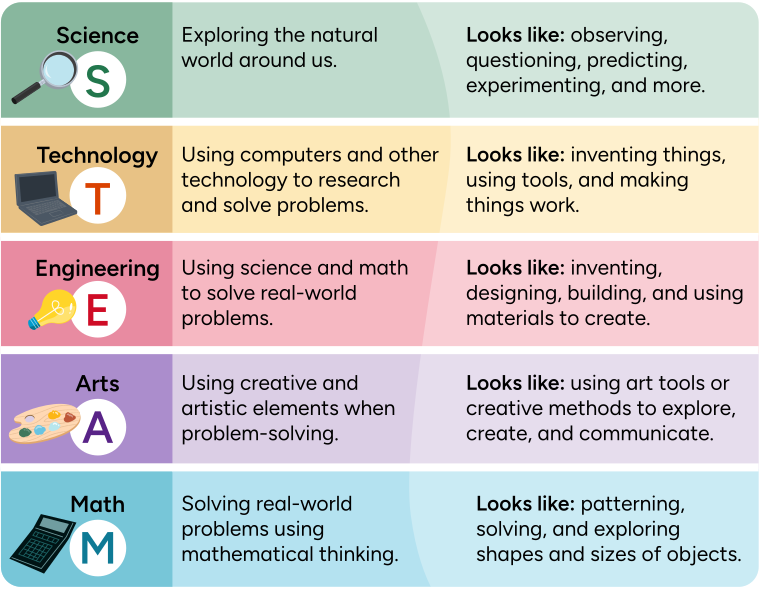
An infographic on the acronym STEAM, which stands for science, technology, engineering, arts, and math.
Science: Exploring the natural world around us. This can look like: observing, questioning, predicting, experimenting, and more.
Technology: Using computers and other technology to research and solve problems. This can look like: inventing things, using tools, and making things work.
Engineering: Using science and math to solve real-world problems. This can look like: inventing, designing, building, and using materials to create.
Arts: Using creative and artistic elements when problem-solving. This can look like: using art tools or creative methods to explore, create, and communicate.
Math: Solving real-world problems using mathematical thinking. This can look like: patterning, solving, and exploring shapes and sizes of objects.
Are any of the STEAM vocabulary words new for you? If they are, take a moment to record any new words in a journal of your choice.
Teacher Chiara says: 'STEAM education is all about different ways of learning, problem-solving, and creating solutions. It is also about trying things and learning from our questions and mistakes.
In this learning activity you will explore more about STEAM and how it connects to you as a learner.'

STEAM power
The world is always changing, which means there is always a lot to discover and learn. To be successful, we need to be able to think creatively and solve problems. This is exactly what STEAM education is all about!
STEAM is a way of learning that blends different subjects together to solve problems and create new things.

Explore the following example to learn how we can use to STEAM to plan a project!
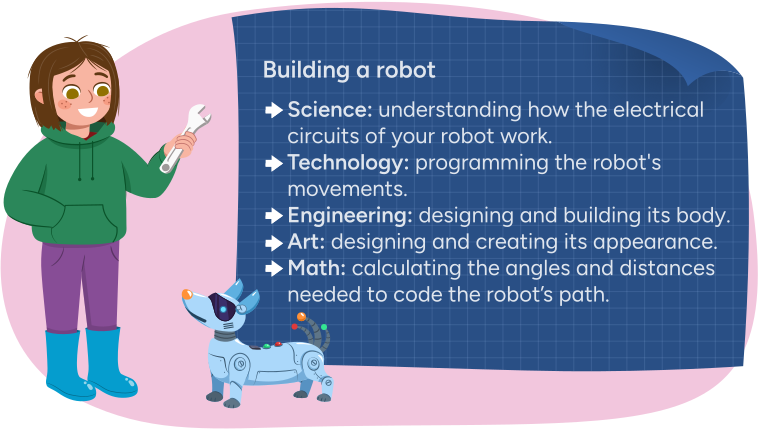
Gabby and a robot dog standing in front of a poster titled 'Building a robot.' It says:
Science: understanding how the electrical circuits of your robot work.
Technology: programming the robot's movements.
Engineering: designing and building its body.
Art: Designing and creating its appearance.
Math: calculating the angles and distances needed to code the robot's path.
What are some other examples of how someone can use STEAM to complete a task or plan a project?
Making in the makerspace
Many libraries, community centres, and museums offer spaces that encourage STEAM learning. This type of space is sometimes called a makerspace. A makerspace is a place that offers materials, toys, tools, or equipment for STEAM learning and innovation.
Press Definition to learn more.
Innovation (or "to innovate") is finding solutions and solving problems.
Examine the following images of items you might find in a makerspace.
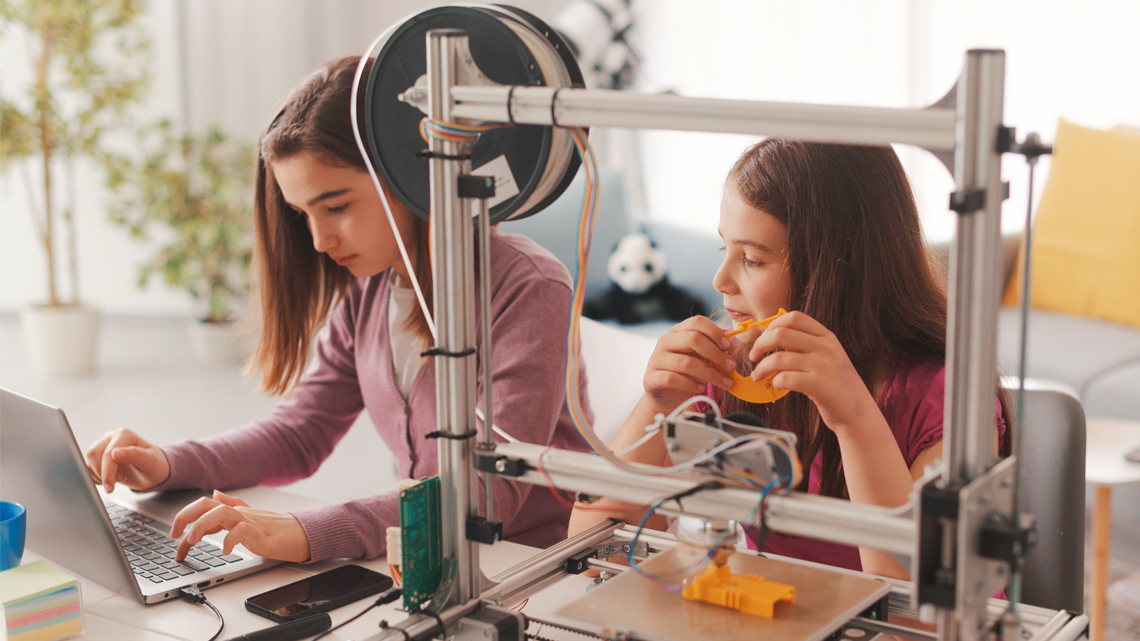
3D printer

Woodworking tools

Electrical circuits

Sewing machine

Arts and craft supplies

Building blocks

Student Wellness
Take a break!

Sentence starters!
Teacher Chiara says:
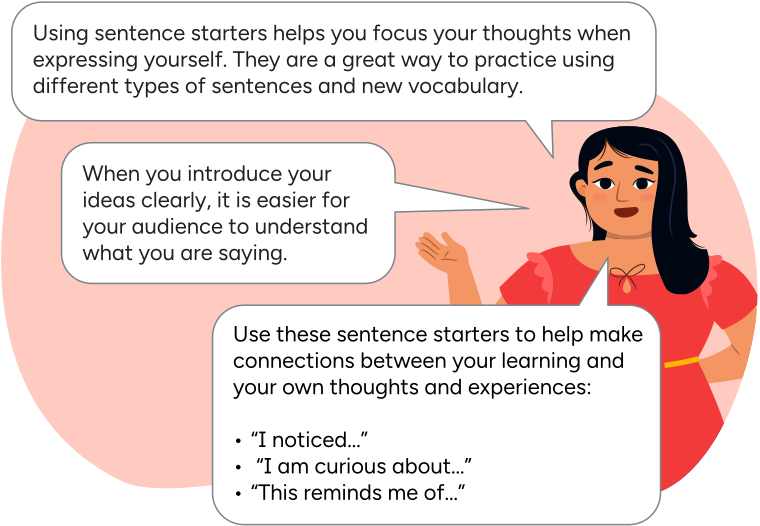
'Using sentence starters helps you focus your thoughts when expressing yourself. They are a great way to practice using different types of sentences and new vocabulary.
When you introduce your ideas clearly, it is easier for your audience to understand what you are saying.
Use these sentence starters to help make connections between your learning and your own thoughts and experiences:
"I noticed…"
"I am curious about…"
"This reminds me of…"'
Before viewing
We are going to explore a video of a makerspace in Edmonton, Alberta to understand what kinds of things you might find in a makerspace.
As you watch the video, take note of the materials available in a journal or using another method of your choice.

Student Success
Think
Think about the following questions:
- Which tools, toys, materials, or equipment were familiar to you?
- Which materials were new or unfamiliar to you?
- Are there any other materials that you would like to see in a makerspace?
- If you were to visit a makerspace like this, which materials or activities would you most like to try?
Record your answers in a journal of your choice or share your answer to these questions with a learning partner if possible.
Being an inventor

Investigate
Investigate
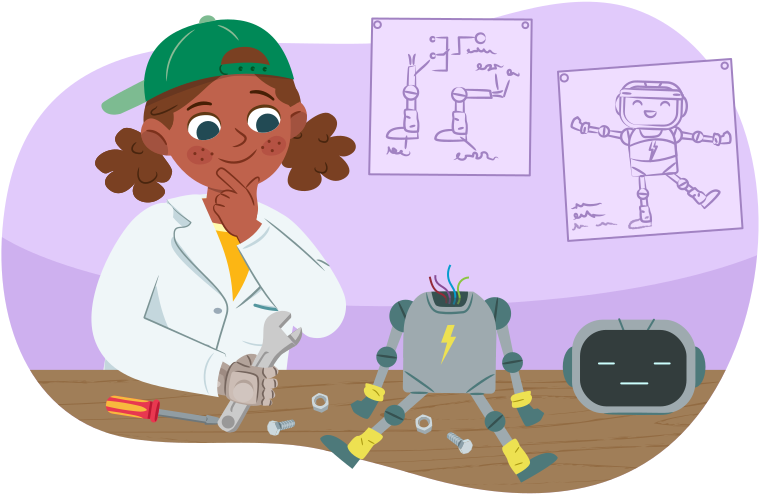
What kinds of things would you like to invent?
Creating an invention using STEAM can look like a lot of different things, including:
- inventing brand-new ideas or items
- taking an existing idea or object and improving it
- using materials in new ways
Check out the following video where students like yourself create their own inventions.
Identify and describe one or more of the invention ideas shared in this video using a method of your choice.
Creating an invention with everyday items
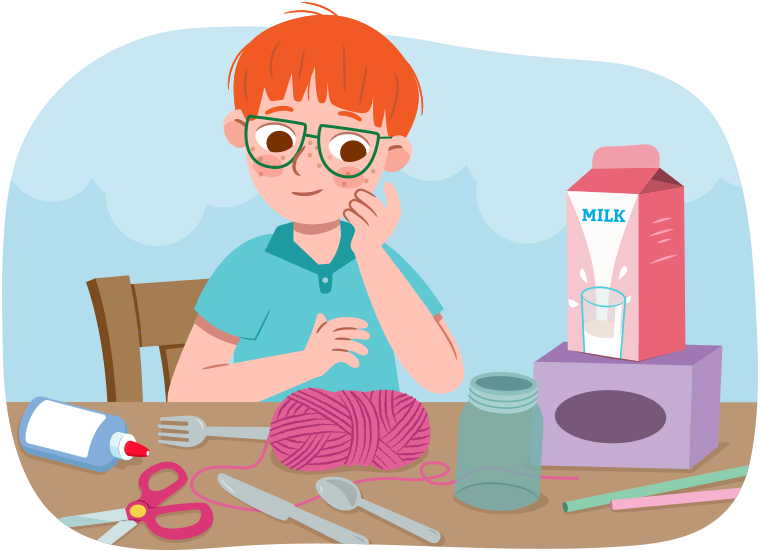
Creating inventions often starts with using everyday items that are available to us.
Examine the objects used to build the items in the following image? Have you ever created something new using everyday items like these?
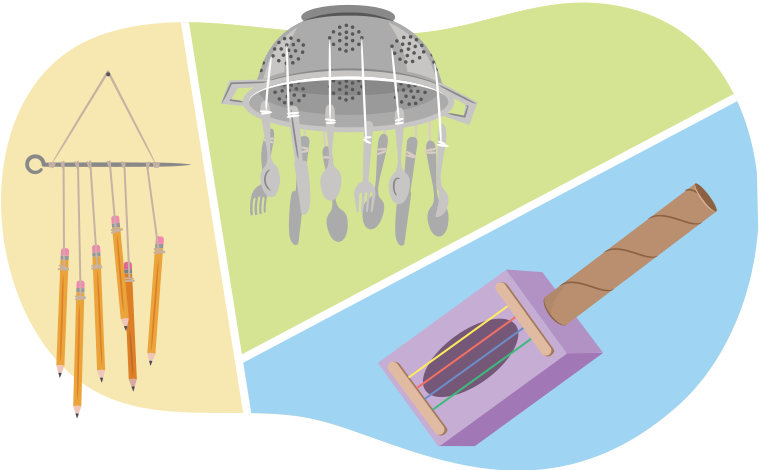
Three instruments made using everyday items:
- Pencils dangling from a skewer using string.
- An upside-down metal colander with metal utensil dangling from it. They have been tied together with string.
- A guitar made of an empty tissue box, popsicle sticks, rubber bands, and an empty paper towel roll.

Pause and Reflect
Pause and reflect
As you consider creating an invention, which of the following statements best describes your preference as a learner?
- I am most excited to invent or design something.
- I am most excited to build or create something.
Let’s review!
Let’s review what STEAM stands for.
The following cards contain items that fit together in a specific order (sequence). Put the items in each answer box in the correct order.
Select the correct answer, then press Check Answer to see how you did.
Select the correct answer, then press Check Answer to see how you did.
Cursive practice
| Cursive | |
|---|---|
| U |

|
| V | 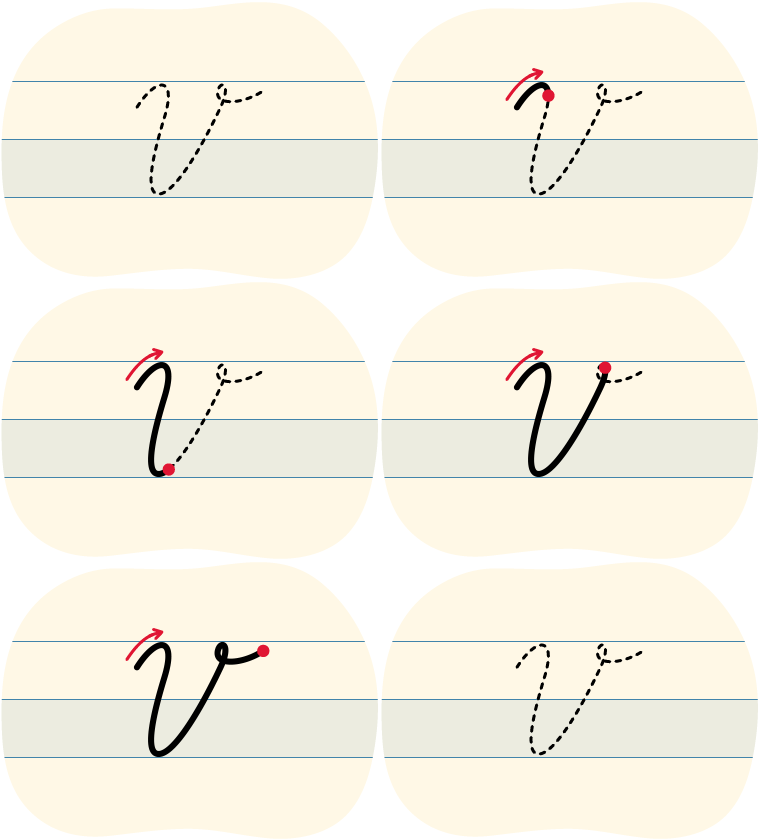 |
| W |  |
| X |  |
| Y |  |
| Z |  |
Before you begin, what do you notice about the shape of each cursive letter?
The uppercase letters start at different levels. Some of the letters have loops and they each create a unique shape.
Tips for cursive letters
- Start from the bottom of the letter.
- Try to keep the pencil on the page until you are done the letter.
- Create a finger space before you continue to the next letter.
- Try to press gently as you write so that your hand can move easily across the page.

Cursive writing can be hard at first. But don’t worry, you can do it. All it takes is some practice!
Press Left-Handed Tips button to access tips for left-handers.

Putting it all together
A makerspace is an exciting place to visit, but STEAM learning can happen anywhere. You do not need to be in a specific place to be a creator or a maker. You can invent and innovate wherever you are, using whatever tools and materials are available to you.
My innovative design
In this activity, you are going to create or design your own invention or innovation.
Choose one of the following tasks:
- your own brand-new invention or toy
- a new and improved version of a toy or item that already exists
Gathering materials
Before you get started, check with a trusted adult to make sure you have permission to use your selected materials, or for guidance on what tools you should use.
Decide if you would like to use digital tools or physical tools to design and show your invention.
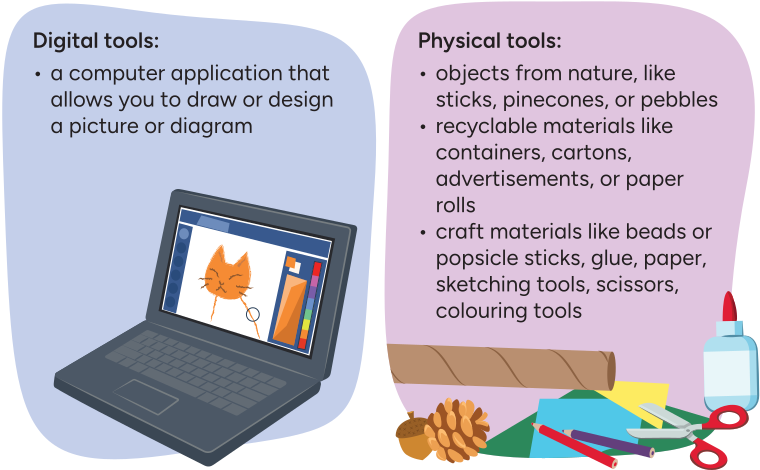
Digital tools:
- a computer application that allows you to draw or design a picture or diagram
Physical tools:
- objects from nature, like sticks, pinecones, or pebbles
- recyclable materials like containers, cartons, advertisements, or paper rolls
- craft materials like beads or popsicle sticks, glue, paper, sketching tools, scissors, colouring tools
Plan your invention!
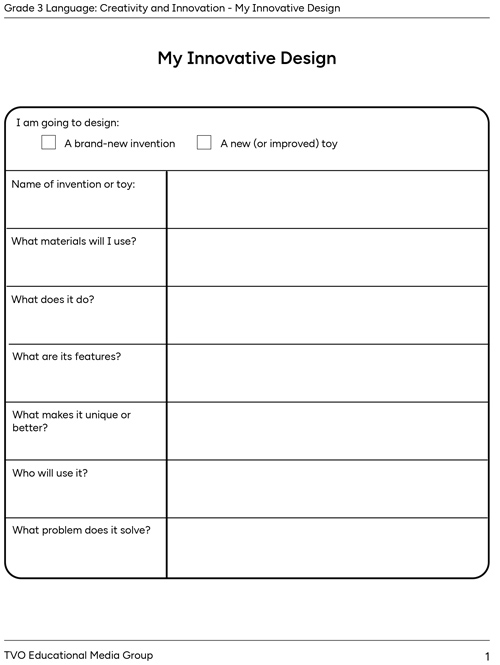
Planning for your invention is an important part of the learning process. It helps you figure out what your goal and vision is.

Complete the fillable and printable My Innovative Design in your notebook or using the following document. If you would like, you can use speech-to-text or audio recording tools to record your thoughts.
Create and share your invention
Using your selected digital or physical tools, create a drawing or diagram of your invention.
Press Student Tips to learn more.
You might want to include a title and add labels for any special features.
Check out the following example.
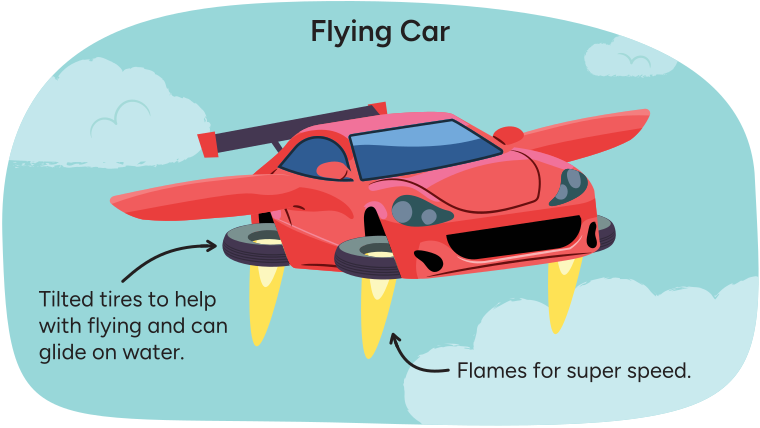
When complete, present your invention to a learning partner or use a voice recorder to record yourself explaining your plan.
Pause and Reflect
Pause and reflect
Review the following questions.
- What skills areas did you use (Science, Technology, Engineering, Art, and Math)?
- What do you like about your invention?
- What problem does it solve?
- What challenges did you meet during your creative process?
- What tools or strategies did you use to develop your ideas and create your text. How did they help you as a creator?
Record your reflection answers in a journal of your choice.
Reflection
How do you feel about what you have learned in this activity? Which of the next four sentences best matches how you are feeling about your learning? Press the button that is beside this sentence.

I feel...
Now, record your ideas about your feelings using a voice recorder, speech-to-text, or writing tool.