Learning goals
We are learning to…
- communicate and collaborate with various communities in a safe, respectful, responsible, and inclusive manner when using online platforms and environments, including digital and media tools, and demonstrate and model cultural awareness with members of the community
- identify and explain prior knowledge from various sources, including personal experiences and learning in other subject areas, that we can use to make connections and understand new texts
- produce, publish, and present final texts, selecting a variety of suitable techniques and tools, including digital design and production tools, to achieve the intended effect
- compare how various strategies and tools helped us communicate our intended message when publishing and presenting texts, analyze how our texts address various topics, and suggest steps for future improvement as a text creator
Success criteria
I am able to…
- explore a text about being respectful and responsible online and give advice using hypothetical scenarios on maintain positive digital identity
- identify the importance of inclusion and cultural awareness online
- create and publish a digital design about identity and communication online, and reflect on tools and strategies used to help communicate
- write a letter to my future self about how I am going to maintaining a positive digital identity
What is online identity?
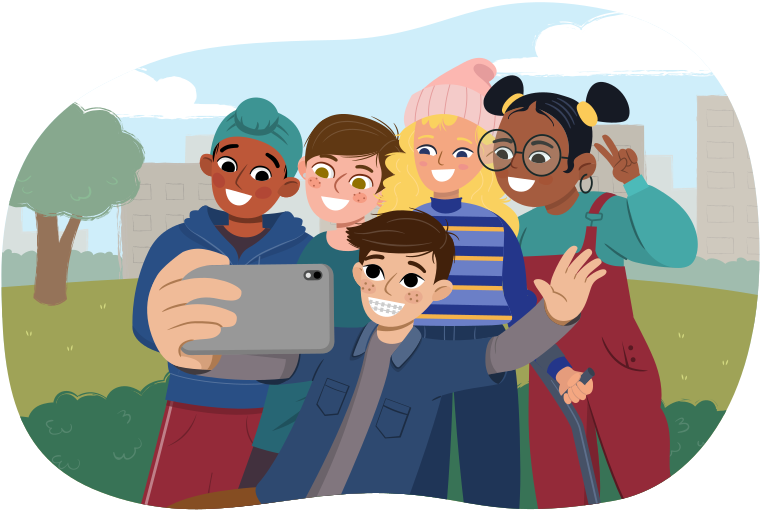
Online identity is the way you present yourself on the internet. It includes the information you share about yourself, such as:
- your name
- photos
- interests
- activities on social media
- websites you browse
- online platforms you use
Your online identity can be seen by others, so it's important to make sure it reflects who you are in a safe and respectful way. Just like in real life, being kind, honest, and responsible online helps you build a positive reputation and protects your privacy.
Check out the following video from the University of Guelph library to learn more about digital identities.
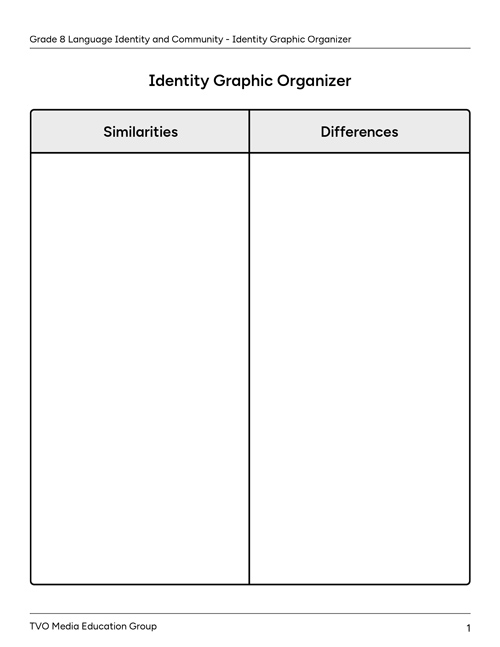
How do you think your online identity differs from your identity in real life? Record some similarities and differences between online identity and real-world identity in the following graphic organizer, or another method of your choice.
Complete the fillable and printable Identity Graphic Organizer in your notebook or using the following document. If you would like, you can use speech-to-text or audio recording tools to record your thoughts.

Brainstorm
Brainstorm
Brainstorm various ways you think that you can create a respectful and responsible digital identity. Record your ideas using a method of your choice.
Maintaining identity through respect and responsibility
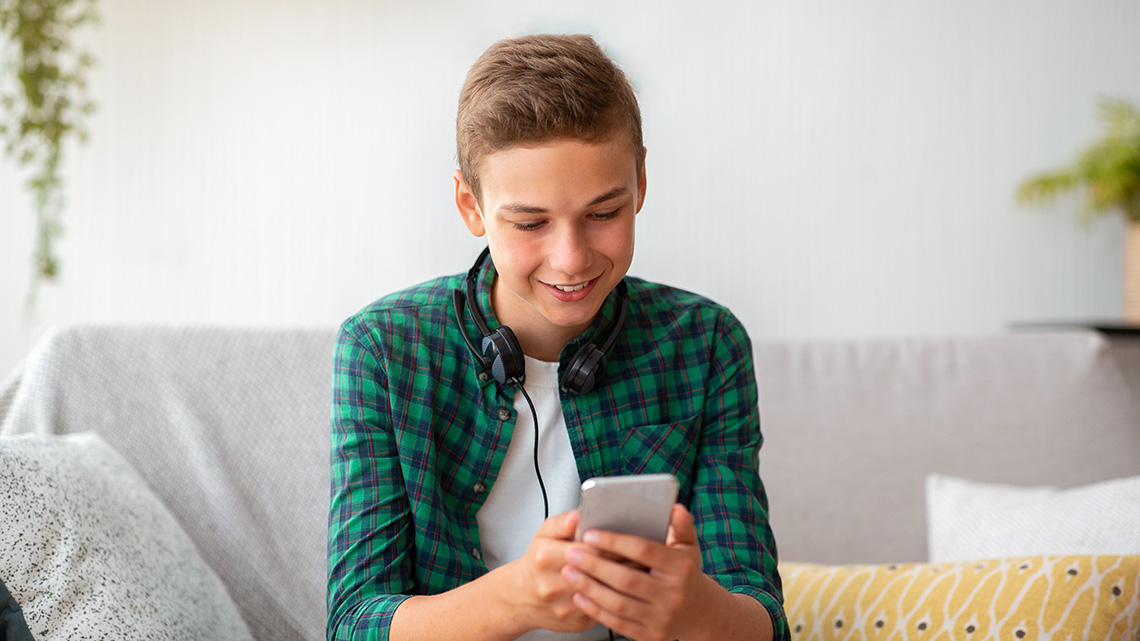
In this learning activity, you are going to be exploring how you can maintain a positive identity online through respect and responsibility, as well as contribute to an inclusive and culturally aware online community.
Prior knowledge: What do I already know?
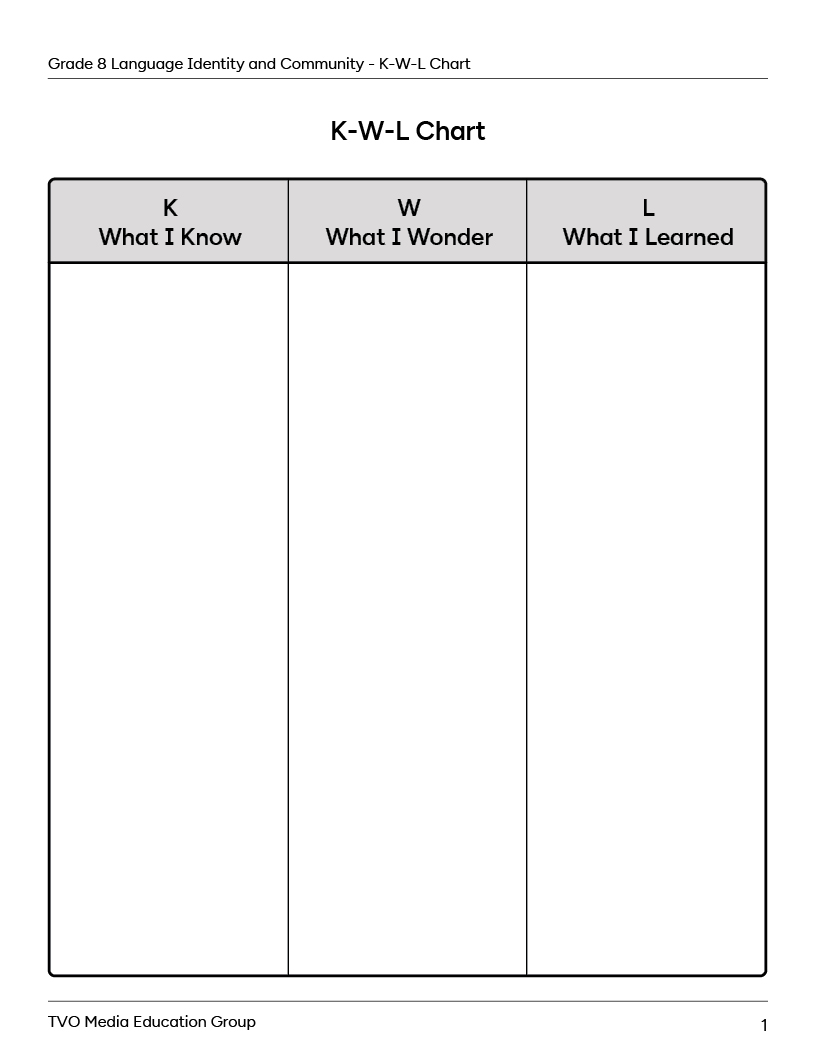
Before you begin, let’s consider prior knowledge you have about this topic. Using the K-W-L chart provided, create point form notes about what you already know (K) about this topic. You can use the questions below to help guide your thinking.
Complete the fillable and printable K-W-L Chart in your notebook or using the following document. If you would like, you can use speech-to-text or audio recording tools to record your thoughts.
Use the following questions to help guide your thinking.
- What do you already know about what it means to build a positive reputation online?
- Do you have any personal experiences that relate to this topic?
- Have you studied this topic, or a similar one, before? What did you learn that you think will be relevant to this topic?
- Can you think of any vocabulary words or terms that might help you understand this content better?
- What do you think you will learn about? Why do you think it is important to learn about this topic?
Wonderings: What do I want to know
Now, take a moment and brainstorm what you want to learn more about regarding this topic and add this to the What I Wonder (W) section of the graphic organizer. Hopefully your wonderings will be answered throughout this learning activity!
Your online identity
Online presence has become part of your identity. Whether you are engaging in social media, participating in online games, or working with your peers on a digital project, the way you communicate online shapes how you are perceived by others. This is why maintaining a positive online identity requires both respectful and responsible interactions.
Brainstorm
Brainstorm
- In what ways do you engage online?
- How do you think this contributes to your identity?
Brainstorm your ideas in a method of your choice.
Respectful communication is important in building a positive digital identity. Press the following tabs for tips to maintain respectful communication online.
When you interact online, it is important to consider that there is a real person behind every screen. Similar to face-to-face conversations, treating others with kindness and consideration is essential. This includes:
- avoiding unkind language
- listening to differing opinions without judgement
- responding to others thoughtfully
It is okay to disagree with someone — it is about how you approach that disagreement. When engaging online, try to engage in constructive dialogue. For example, you could start by saying:
- “I see your point, but have you considered …”
- “That’s an interesting perspective. I was thinking …”.
This can help to maintain a respectful tone that will prevent conflicts and contribute to an inclusive online community.
Responsibility online is important. It involves:
- being mindful of the content you share and how it could affect others
- considering the potential impact of your words before posting and whether they contribute to a safe and inclusive online community
- avoiding sharing misleading information
- checking your facts before posting
- never sharing someone else’s private information without their consent
- always giving credit to other people’s ideas and work
Everything you post online leaves a digital footprint that can be tracked back you, even years later. This footprint forms part of your online identity and can influence how you see yourself, and how others see you.
Your social media audience

Student Success
Think!
Who do you think might view your social media? Why?
Not only do your friends and family view your social media, but future employers, colleges, schools, and other institutions often look at an individual’s online presence to gain a sense of who they are before even meeting them. Maintaining a respectful and responsible online identity is not just about the present, but also about safeguarding your future opportunities.
Let’s explore a real-life example.
A CBC news article reported that 35% of college offices look at social media profiles of students who are applying to their school. In one specific example, Harvard University revoked 10 offers of admission when they learned that students were part of an inappropriate group online that was sharing hurtful content. This was a lesson learned on the importance of digital footprints and how they can have real world consequences.
Based on what you’ve learned so far, what tips or recommendations would you have for a peer who is about to sign up for a new social media account about their digital identity? Record your ideas in a method of your choice.
Inclusive online communication and cultural awareness
Whether you are in a school, grocery store, community centre, or even online, there are always community “norms” that exist. For example, you know you cannot yell at the top of your lungs for no reason in the grocery store or bump your cart into other people. Norms are like unwritten rules that need to be followed.
Just like in person, online spaces can develop policies and rules that promote respect and discourage inappropriate and harmful behaviours. By establishing norms online, it provides safe spaces for people to maintain a sense of well-being and belonging. A safe space online provides people with a network of support, communication, and understanding. It is common for safe spaces to have rules so that people know what it acceptable and unacceptable.
Brainstorm
Brainstorm
In a method of your choice, brainstorm some rules that you feel should exist to help create safe and inclusive online spaces.
Press Answer button to learn more.
You may have thought of several ideas: be kind, respect others opinions, only share content that is your own, no bullying, or treat people online the way you would treat them face to face.
Let’s explore two important terms: inclusive online communication and cultural awareness. Press the following tabs to find out more.
Inclusive online communication means using language and behavior that respects and includes everyone, regardless of their background, beliefs, or abilities. It's about making sure that everyone feels welcome and valued in online spaces. This can be as simple as using kind words, listening carefully to others, and being open to different viewpoints.
Cultural awareness involves recognizing and understanding the cultural differences, norms, values, and perspectives of others. In the diverse and interconnected world of the internet, individuals from different backgrounds come together to communicate, collaborate, and share ideas. When we're culturally aware, we recognize that everyone has unique traditions, values, and ways of communicating. This understanding helps us avoid misunderstandings and show respect to people from different backgrounds.
Cultural awareness plays a crucial role in promoting understanding and respect in online interactions by:
- preventing misunderstandings and misrepresentations online
- promoting empathy
- facilitating communication styles and languages to accommodate cultural differences
- building positive and meaningful relationships online by demonstrating respect for others’ cultural identities and perspectives
- recognizing and addressing bias, stereotypes, and discrimination in online interactions
- promoting global citizenship by learning from diverse cultures and communities around the world and embracing cultural diversity

Pause and Reflect
Pause and reflect
Respond to the following reflection questions in your notebook, or another method of your choice.
- Why do you think it is important to recognize and understand different cultures and perspectives when interacting online?
- How can cultural awareness foster a sense of inclusion and understanding online?
- How can learning about various cultures help you be more inclusive and respectful online?
- What about your cultural background? How can you share your personal background and experiences online?
Finding inclusion and cultural awareness online
Now, let’s explore two real-world examples of online platforms and communities that promote inclusion and cultural awareness. “Slack” is an online messaging tool and “Global Voices” is an online community.
Press the following tabs to find out more.
Slack is an online messaging app, often used by businesses, to help people message and collaborate. Slack works towards an inclusive and culturally aware online environment by:
- providing diverse emojis and reactions that represent different cultures, genders, and races
- offering customizable profiles with options to include pronouns and personal preferences
- dedicating channels to diversity and inclusion
- enabling accessible communication for people all over the world
Global Voices is an international and multilingual community of writers, translators, and human rights activists that uses the internet to share stories and build capacity for understanding around the world. Here are a few ways that Global Voices contributes to an inclusive and culturally aware online community:
- Articles are published in multiple languages which makes information accessible to a large audience.
- Contributors are from various backgrounds, which enriches the content they are sharing and allows others to learn about cultures around the world.
- Stories from regions or communities that are often ignored or misrepresented in mainstream media are prioritized.
- Special projects focused on themes such as Indigenous rights, freedom of expression, digital activism, and much more are included.
Create a digital text
Your task is to create and publish a digital text about digital identity and online communication.
Before you begin planning, consider what type of digital text you want to create. Possibilities include:
- an infographic
- a website
- a blog post
- a digital poster
- a podcast
- something else of your choice
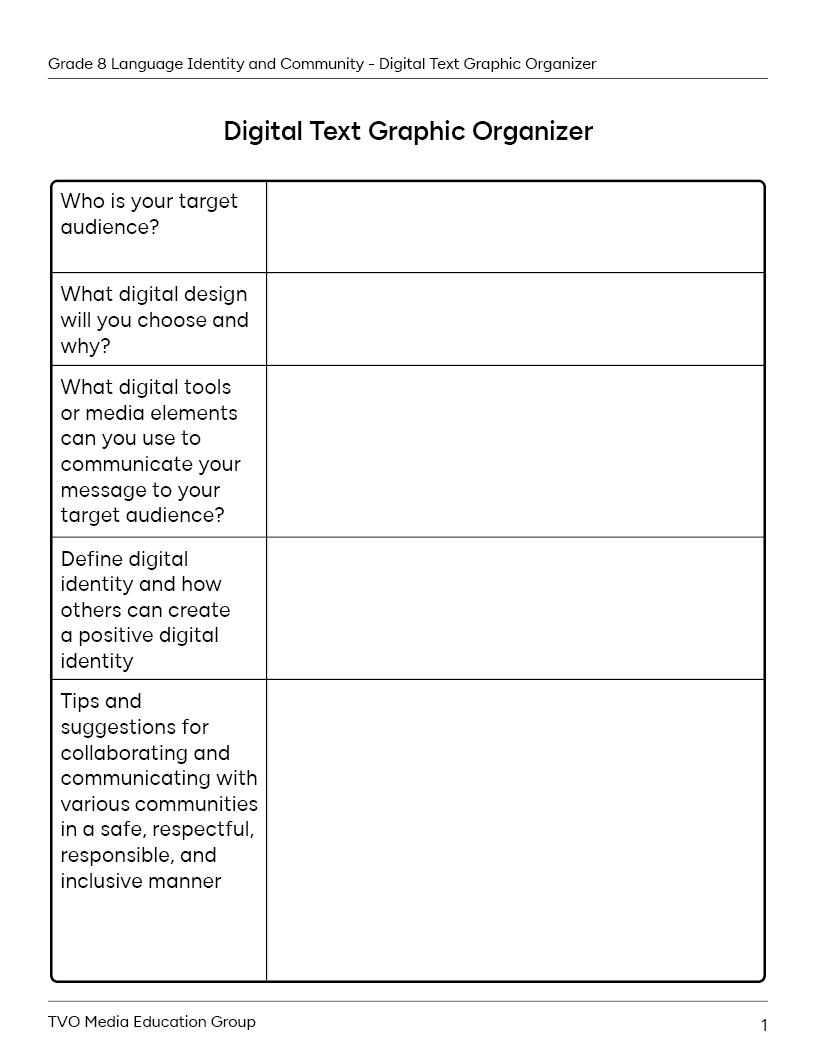
Once you’ve decided on the type of digital text, brainstorm and plan your design. Use the interactive checklist below to help you plan. You can record your ideas using the graphic organizer provided, or in another method of your choice.
Digital text planning checklist
Press Hint button for suggestions for media elements you may wish to include in your digital text.
- images
- icons
- charts
- fonts
- videos
- audio
- animations
- interactive elements
Complete the fillable and printable Digital Text Graphic Organizer in your notebook or using the following document. If you would like, you can use speech-to-text or audio recording tools to record your thoughts.
If possible, share your design with someone else. Then, respond to the following reflection questions in a method of your choice.
- Do you think your digital design clearly communicates your message to your intended audience? How do you know?
- What strategies and tools helped you to communicate your intended message to your audience?
- What goals will you set for yourself when creating a digital design in the future? How will you achieve these goals?

Social Emotional Learning
Social emotional

Great work! Take a break before continuing onto the next part.

Fluency
Fluency is the ability to identify words correctly and read a text at an appropriate rate with ease, pace, automaticity, and expression. With proper phrasing and a focus on punctuation, the reader will gain more meaning from the text.
In this learning activity, you are going to be exploring a script between two people about online identity and communication. Re-read the script several times while focusing on fluency, specifically expression. What do you imagine the characters’ voices sound like? How will their voices change based on what they are saying?

Student Tips
Student tips
Notice that beside the character’s name, before they begin speaking, the script provides a suggestion as to how the character might say the line or what action they might include.
Use the checklist provided to self-assess your fluency. If possible, read the script with a partner.
Fluency checklist
Access the following Online Communication Script to complete the activity.
Complete Online Communication Script in your notebook or using the following fillable and printable document.
|
Savinder is sitting at their desk, scrolling through social media on their laptop. Clara enters, looking over Savinder’s shoulder. Savinder: (excitedly) Hey, Clara! What are you up to? Clara: Oh, just checking out some posts. Did you see this article about online safety? Savinder: (glancing at the screen) Nah, I haven't. But who cares about that stuff? I just go with the flow online. Clara: (concerned) Savinder, it's important to be cautious. You never know who might be lurking online. Savinder: (rolling her eyes) Come on, Clara. It's not like I'm sharing my whole life story with strangers. Clara: (sighs) I know, but even small things can add up. Like, do you use different passwords for all your accounts? Savinder: Um, no. Why bother? I just use the same one for everything. Clara: Savinder, that's risky! If someone hacks one of your accounts, they could access all your personal information. Savinder: (thoughtfully) I guess I never thought about it like that. But what about online communication? I mean, I just say what's on my mind. Clara: That's great, but we also need to be mindful of how our words can affect others. Remember the golden rule: treat others how you want to be treated. Savinder: (nodding) Yeah, I get it. Like that time when I made that snarky comment on someone's post, and it turned into a whole drama. Clara: Exactly. It's easy for things to get blown out of proportion online. We need to think before we post and consider how our words might impact others. Savinder: (reflectively) You're right, Clara. I need to be more careful about my online identity and communication. Clara: (smiling) Don't worry, Savinder. We're all learning as we go. Just remember to stay safe and respectful online. Savinder: (grinning) Thanks, Clara. I'll keep that in mind. Now, let's binge-watch some cat videos! Clara: (laughs) Sounds like a plan. They both turn back to the laptop, sharing a laugh as they continue their online adventures together. |
Press the Activity button to access the Online Communication Script.
Based on the checklist, choose one area of fluency to focus on and set a goal for yourself. What strategies could you use to help you achieve this goal?

Colons
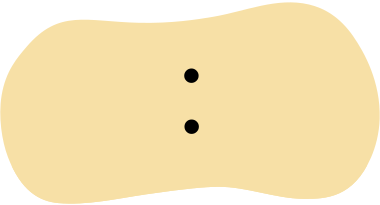
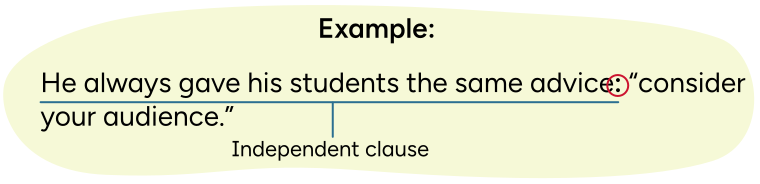
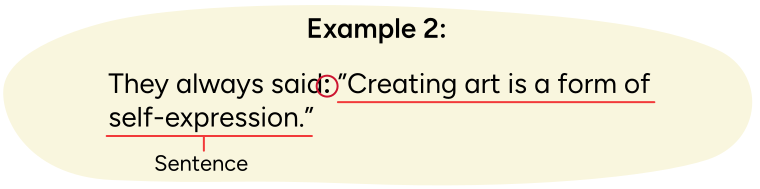
A colon (:) is a punctuation mark that can be used in various ways. For example, it can be used to indicate a new speaker in a script, just like in the fluency activity. It can also be used to introduce a quotation after a complete sentence.
A colon should only be used before a quotation when the introduction is an independent clause or the quotation itself is a complete sentence.
A colon should only be used before a quotation when the introduction is an independent clause or the quotation itself is a complete sentence.
You can use a colon before a quotation…
- when the introduction is an independent clause
- when the quotation is a sentence
Select the correct answer, then press Check Answer to see how you did.
Let’s check!
Let’s check our understanding of the content in this learning activity by completing the following fill in the blank’s activity.
For each sentence, select the missing word or phrase from the drop-down menu. Press Check Answer to see how you did.
Self-evaluating your learning

Take a moment to reflect on what you learned about digital identity and communication online. Complete the following checklist to evaluate your understanding of topics in this learning activity.
Self-evaluating checklist
I have learned:
“Learned”
Revisit your K-W-L chart from the Minds On section of this learning activity.
- Were any of your wonderings answered?
- What information can you add to the “learned” section of the graphic organizer.
- Do you have any questions left over that you would still like answered?
- How did the prior knowledge that you brainstormed about help you make connections with and understand the new text and information you were exploring?
Record your ideas in a method of your choice.
Letter writing
Your final task is to write a letter to your future self about how to maintain a positive identity and promote inclusion and cultural awareness online. Try writing your letter in cursive or typing it out!
Your letter should answer the following questions:
- How can I maintain a positive identity online? Why is this important?
- How can I promote inclusion and respect online?
- What does it mean to be culturally aware, specifically online?
Cursive practice
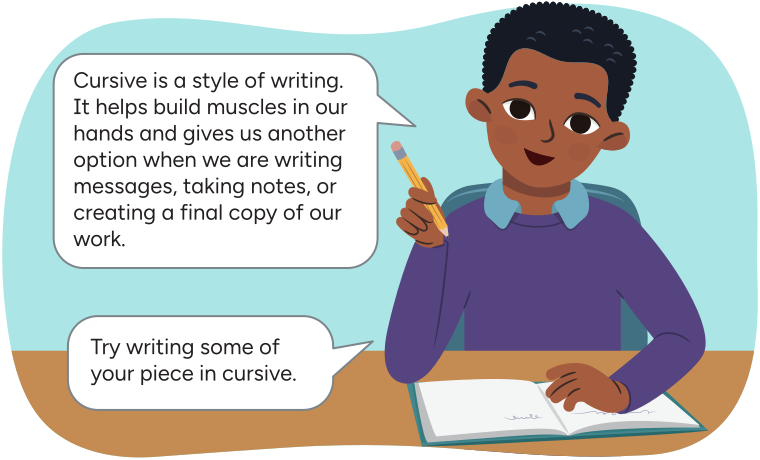
Let’s review cursive writing!
Check out the following animation of how the word “digital” is written in cursive, then review the tips for cursive writing provided.
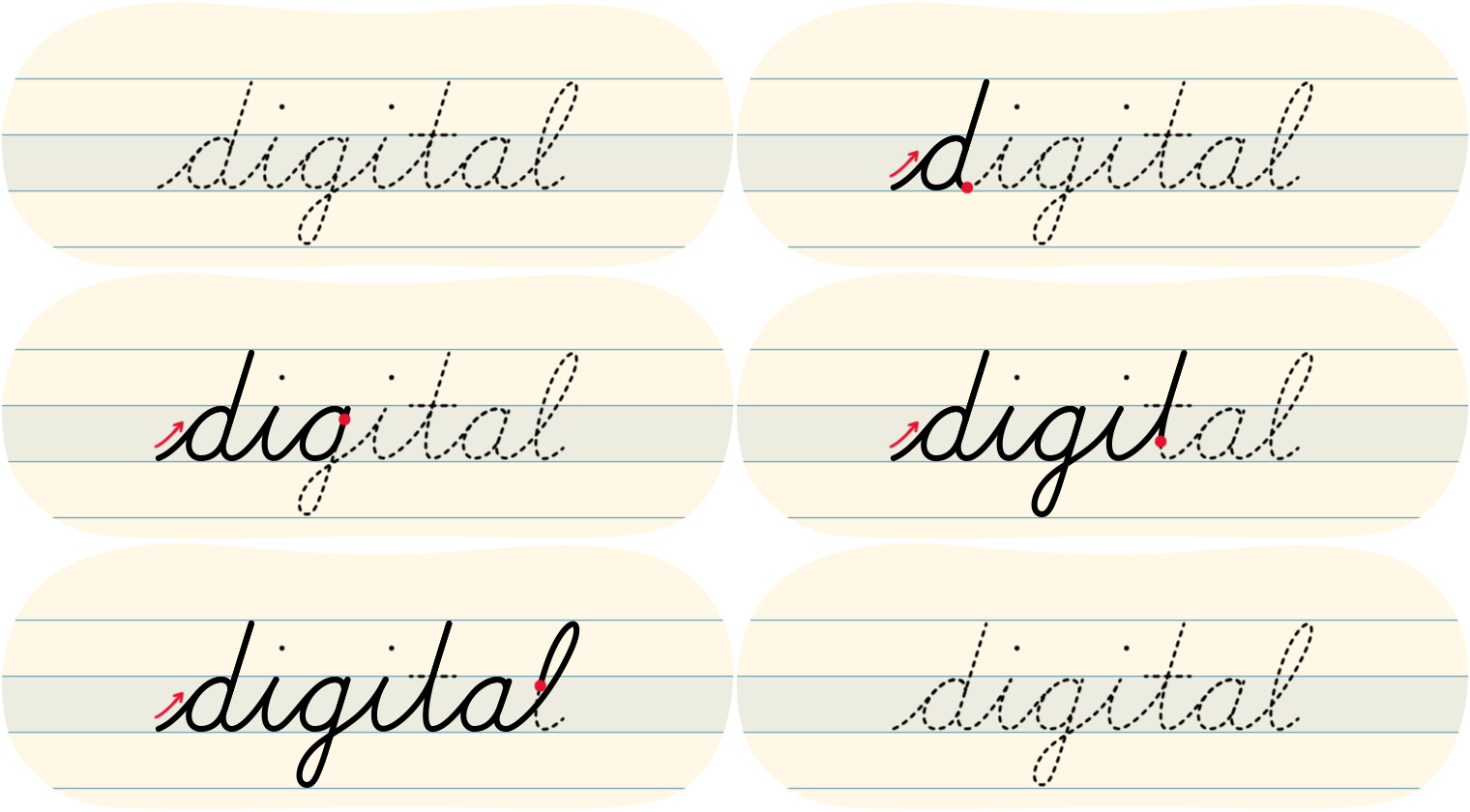
Tips for cursive letters
- When we write in lowercase, we always begin at the bottom.
- When we write in uppercase, we can start from the top or the bottom.
- Try to keep the pencil on the page until you are done the word.
- Try to press gently as you write so that your hand can move easily across the page.
- Take your time to make sure that you are writing clearly and evenly.
Left-handed tips for cursive writing

Explore the video on Left-Handed Tips to learn more.

Typing practice
Typing is a great skill to develop! When we need to use a computer or tablet keyboard, knowing how to type helps us:
- take notes
- respond to messages
- create final drafts of our work.
Explore the following image to see what fingers are used to type each letter or number.
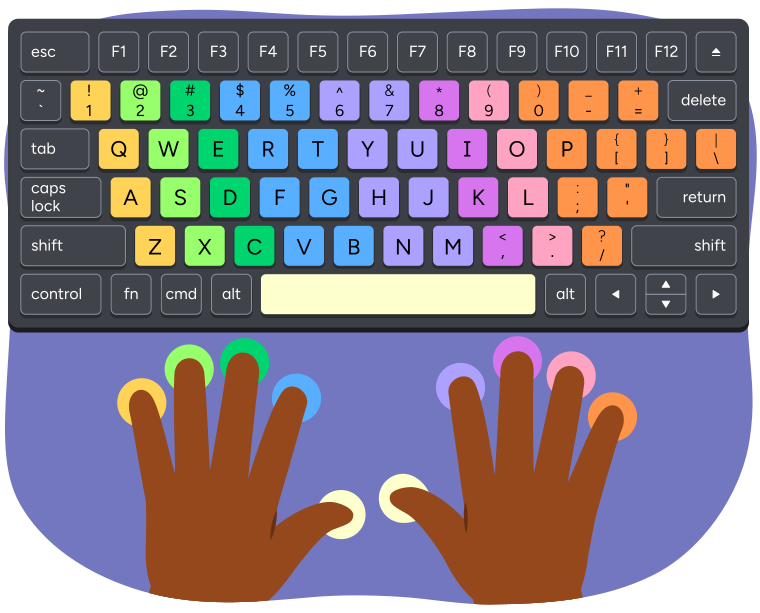
A keyboard and hands showing which fingers are used to press each key when typing.
The left pinky finger presses the keys 1, Q, A, and Z.
The left ring finger presses the keys 2, W, S, and X.
The left middle finger presses the keys 3, E, D, and C.
The left index finger presses the keys 4, 5, R, T, F, G, V, and B.
The left or right thumb presses the space bar.
The right index finger presses the keys 6, 7, Y, U, H, J, N, and M.
The right middle finger presses the keys 8, I, K, and comma.
The right ring finger presses the keys 9, O, L, and period.
The right pinky finger presses the keys 0, minus, equal, P, open bracket, closed bracket, backslash, semicolon, apostrophe, and forward slash.
We use specific muscles in our hands to type! It’s important to practice so that it becomes easier to type correctly without putting too much pressure on our hands and our wrist.
Reflection
As you read the following descriptions, select the one that best describes your current understanding of the learning in this activity. Press the corresponding button once you have made your choice.

I feel...
Now, expand on your ideas by recording your thoughts using a voice recorder, speech-to-text, or writing tool.
When you review your notes on this learning activity later, reflect on whether you would select a different description based on your further review of the material in this learning activity.