Learning goals
We are learning to…
- identify and construct various sentence types and forms including simple sentences and compound sentences
- make connections and understand the topic of new texts
- generate and develop ideas about a given topic
Success criteria
I am able to…
- sort simple and compound sentences
- ask questions and make connections about the impacts of technology on the world and my life
- use a KWL chart to share my ideas about the impact of technology
Evolution of technology
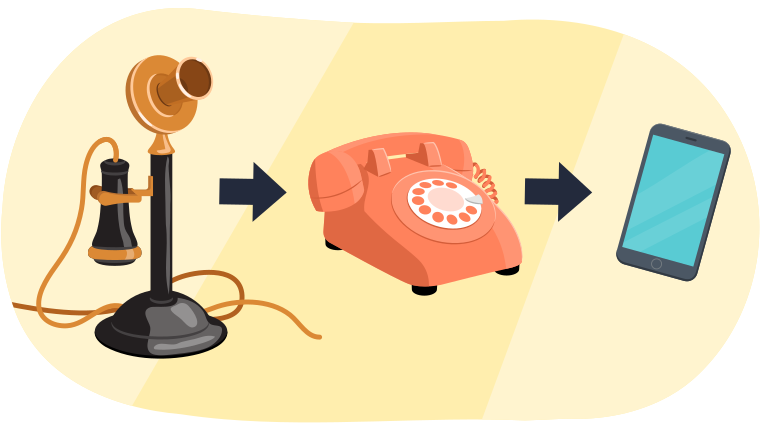
Technology is anything people invent or use to make life easier or to solve problems. It includes things like computers, phones, cars, and even simple tools like a pencil or a wheel
Technology has come a long way! It can be helpful for many different parts of our lives
Explore the following carousel of images and think about the different ways technology can be helpful
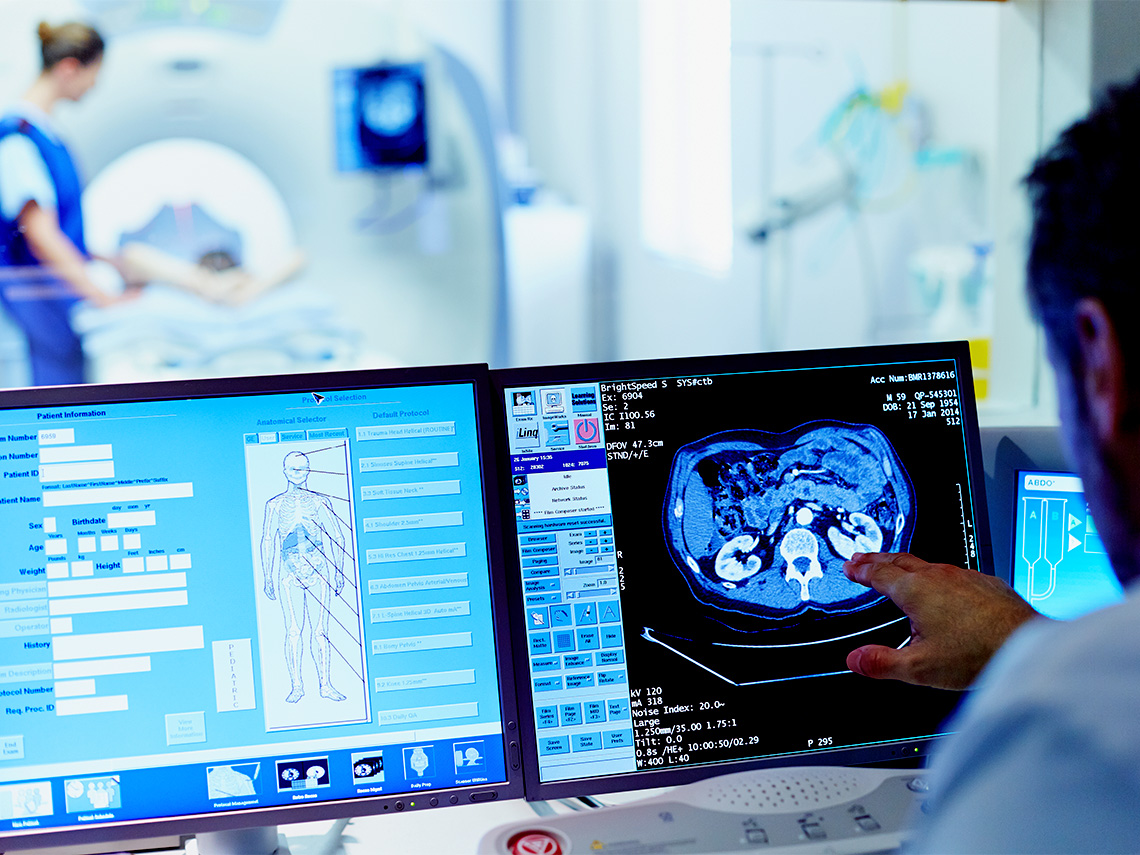
A medical imaging device that helps doctors take care of their patients.

Smartphones allow people to use video calls so they can use sign language.
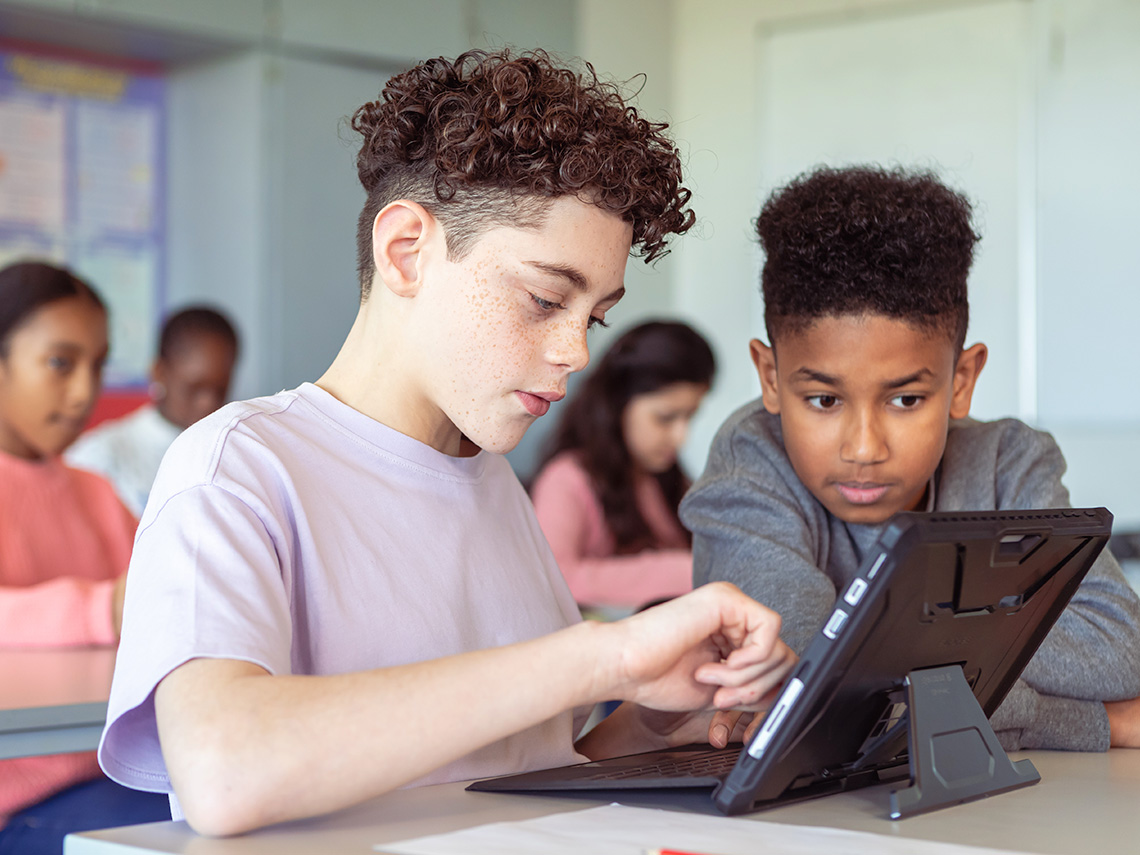
Tablets at school allow kids to work together and learn in a fun and interactive way.
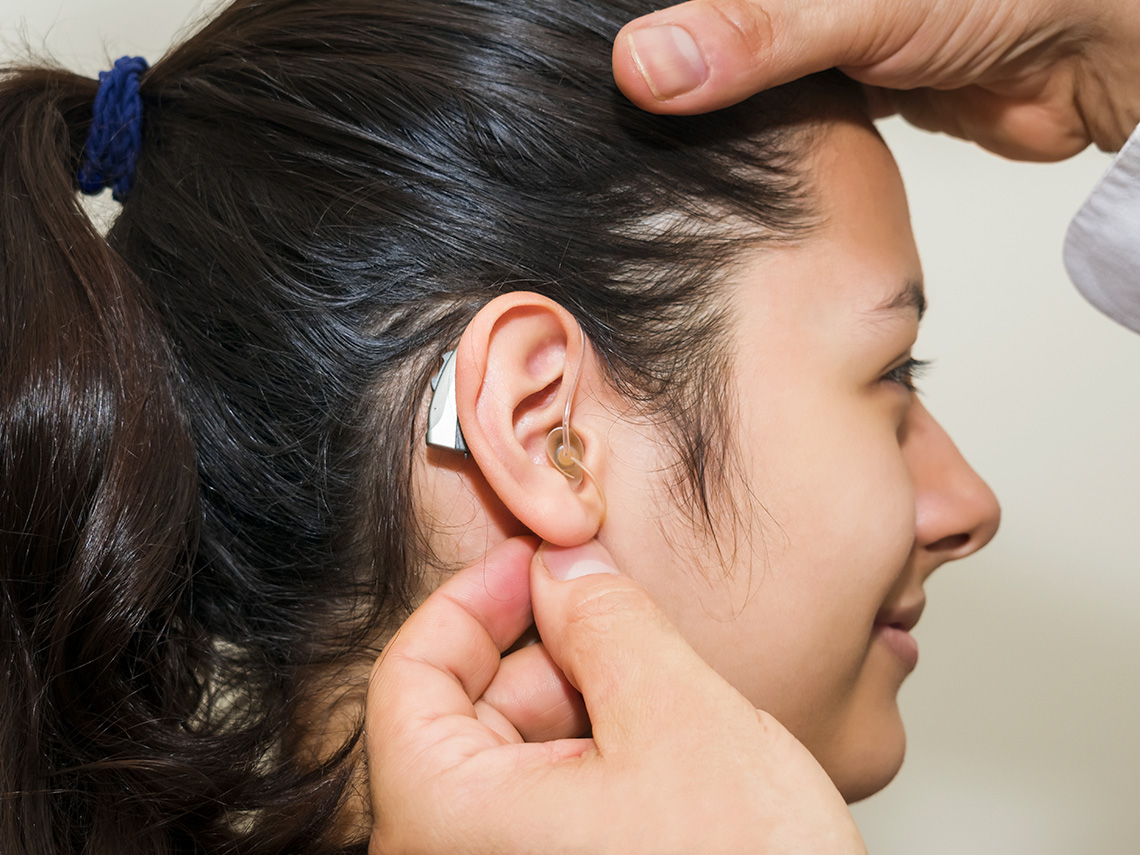
Hearing devices help people who are hard of hearing.
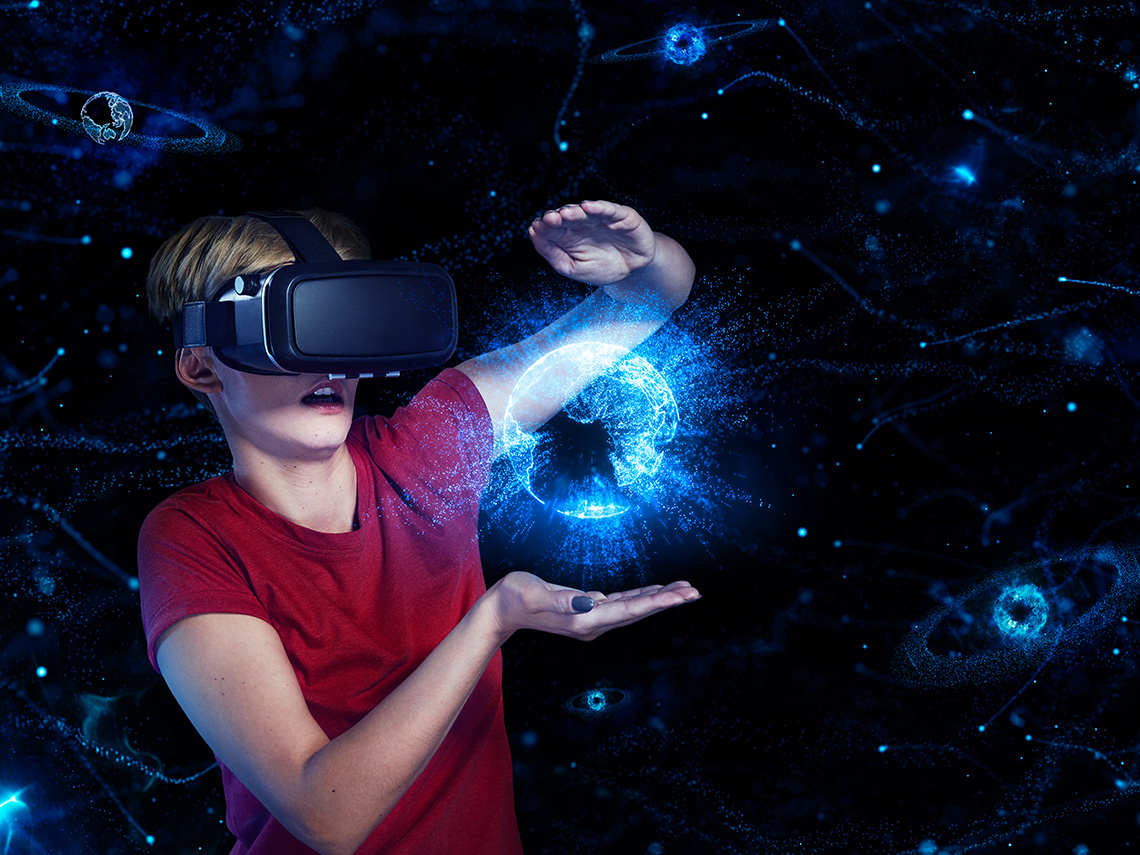
New technology helps us see and learn things about outer space that we never knew before.

Brainstorm
Brainstorm
What are some ways that technology can be helpful in your life? Create a list and record your list in a method of your choice.
Impacts of technology
We have been exploring how technology can be helpful and often needed. Think about the images you explored in the Minds On section.
Some ways that technology can be helpful and positive are:
- Learning things about science and space that we never knew before.
- Providing people with assistive devices that help them in their everyday life.
- Allowing students to work together and learn new things in an interactive way.
- Communicating with different people in all different places.
Technology has given us many benefits, but it can also have some downsides. This is called having positive and negative impacts.
Press the Definition button to learn more.
Positive impacts: Things that help or improve a situation. They make something better or more enjoyable. For example, if you read every day, a positive impact is that you become a better reader.
Negative impacts: Things that can cause problems, or make a situation difficult, less enjoyable, or worse. For example, if you stay up too late, a negative impact is that you feel tired the next day.
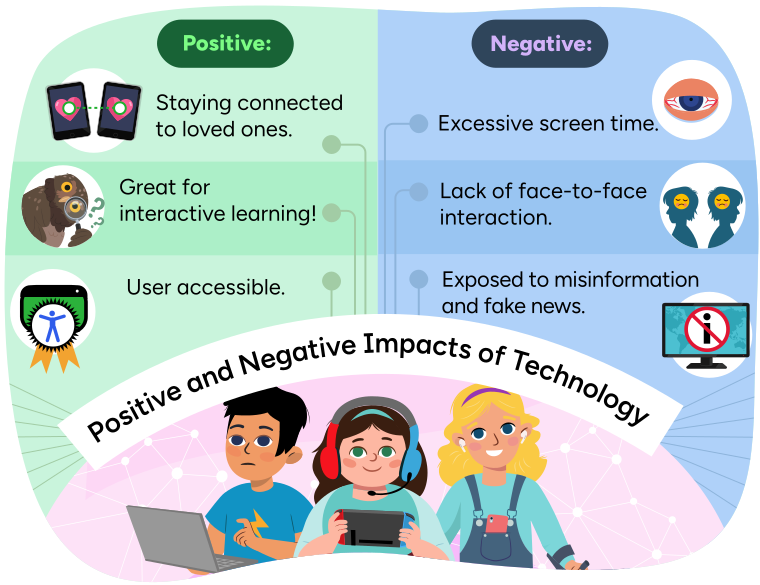
An infographic listing some positive and negative impacts of technology, and an
image of Tyler, Sam, and Danielle using technological devices.
The positive impacts are: "Staying connected to loved ones," which is
represented by two cellphones connected by a line; "Great for interactive
learning," which is represented by an owl using a magnifying glass; and "User
accessible," which is represented by a certification badge.
The negative impacts are: "Excessive screen
time," which is represented by an eye with drooping eyelids and red veins; "Lack
of face-to-face interaction," which is represented by silhouettes of two people
facing away from each other with frowning emojis in their heads; and "Exposed to
misinformation and fake news," which is represented by a screen with a red
crossed out circle over the letter "i."
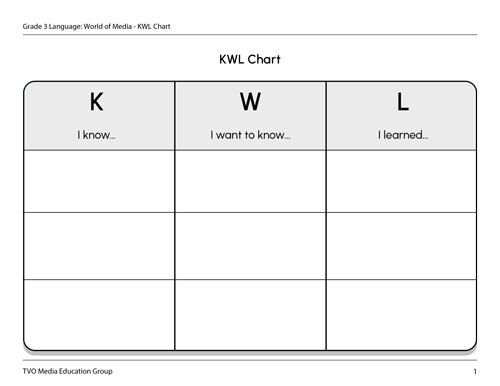
KWL Chart
We can use a KWL chart to help organize our background knowledge and ideas about a topic.
The letters in the KWL chart stand for:
- K = what I know
- W = what I want to know
- L = what I learned
Now that you have explored and brainstormed ideas about the positive impacts of technology, what might be some negative impacts?
Use the KWL example as a guide as you organize your thoughts and ideas.
| K
I know… |
W
I want to know… |
L
I learned… |
|---|---|---|
|
What do I know about the negative impacts of technology? Examples:
|
What do I want to know about the negative impacts of technology? Examples:
|
What have I learned about the negative impacts? |
Complete the KWL chart in your notebook or using the following fillable and printable document. If you would like, you can draw pictures, use speech-to-text, or audio recording tools to record your thoughts.

Today’s vocabulary!
For each term select the corresponding definition.
Negative impacts of technology
Technological devices like laptops, cell phones, and tablets are important and can help us in different ways. These devices can also have some negative impacts. This means they can also cause problems and have a downside.
Press the Example button to learn more.
When we make more technology devices, we also use up more of Earth’s natural resources.
Explore the following image to learn about the life cycle of technology.
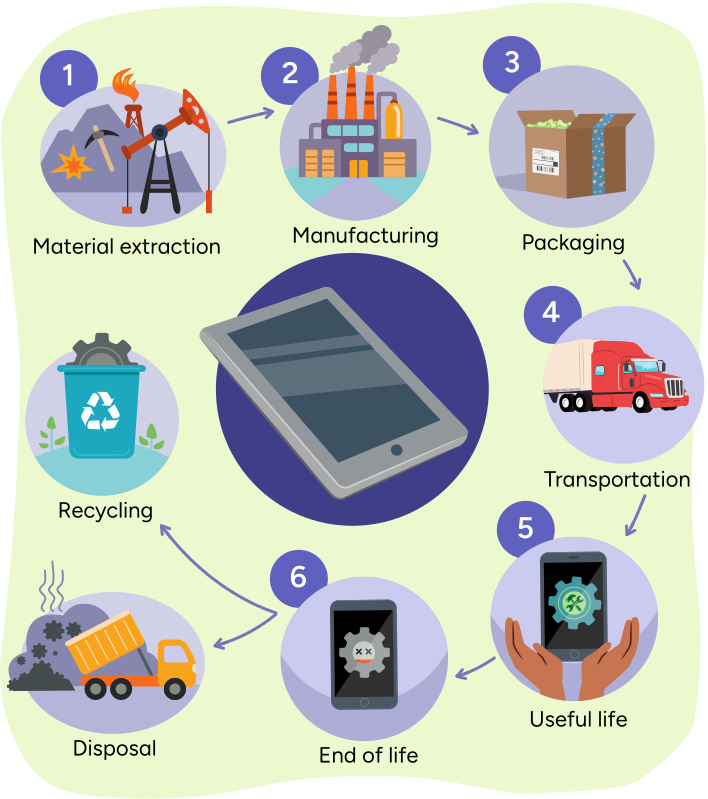
An infographic representing the life cycle of a cellphone.
The first step is material extraction, which is represented by an oil well and a
pickaxe.
The second step is manufacturing, which is represented by a factory emitting
fumes.
The third step is packaging, which is represented by a box with a shipping label
full of foam packing material.
The fourth step is transportation, which is represented by a tractor-trailer
truck.
The fifth step is useful life, which is represented by a person holding a
cellphone.
The sixth step is end of life, which is represented by cellphone that has a gear
with crossed out eyes on the screen.
The final step can be either recycling, which is represented by a recycling bin,
or disposal, which is represented by a truck dumping garbage in a landfill.
Press the following tabs to learn more about how cell phones and other mobile devices are made.
First, we get materials from the Earth, like oil and metals.
Next, these materials are turned into parts for the device, such as plastic, glass, and wires.
Then these devices are put into packages and sent out by different types of transportation (like trucks and planes) to stores and customers.
This whole process takes away natural resources from the Earth and adds more pollution to the air, land, and water, which can hurt people, animals, and the environment.
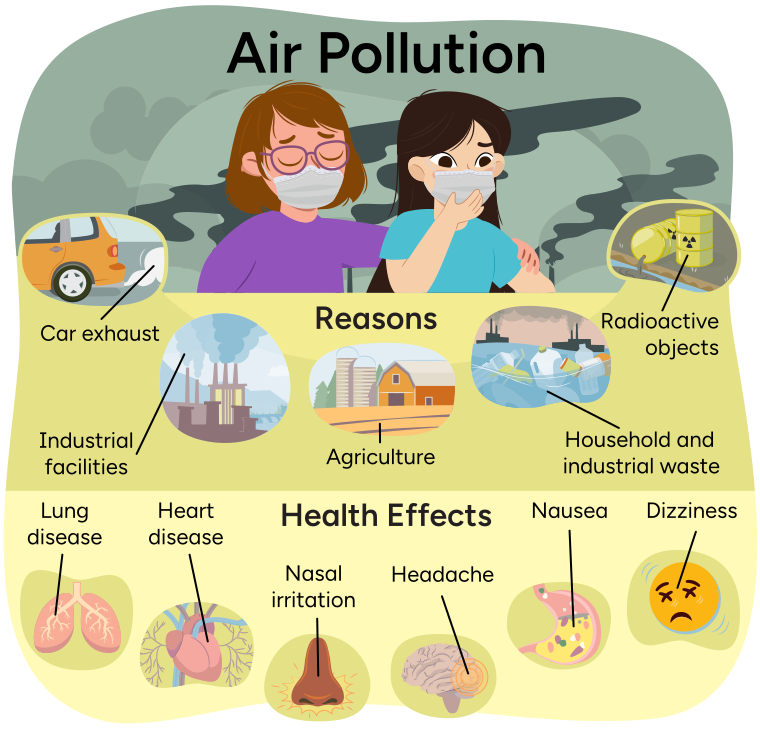 Description
An infographic about air pollution, and an image of Ava and Ren wearing surgical
masks with dark fumes in the background.
The reasons for air pollution are: car exhaust, which is represented by a car emitting
fumes; industrial facilities, which is represented by a factory emitting fumes;
agriculture, which is represented by a farm; household and industrial waste, which is
represented by garbage floating in water with boats emitting fumes in the background;
and radioactive objects, which is represented by barrels with the radioactive symbol
leaking into a river.
The health effects of air pollution are listed as lung disease, heart disease, nasal
irritation, headache, nausea, and dizziness.
E-waste
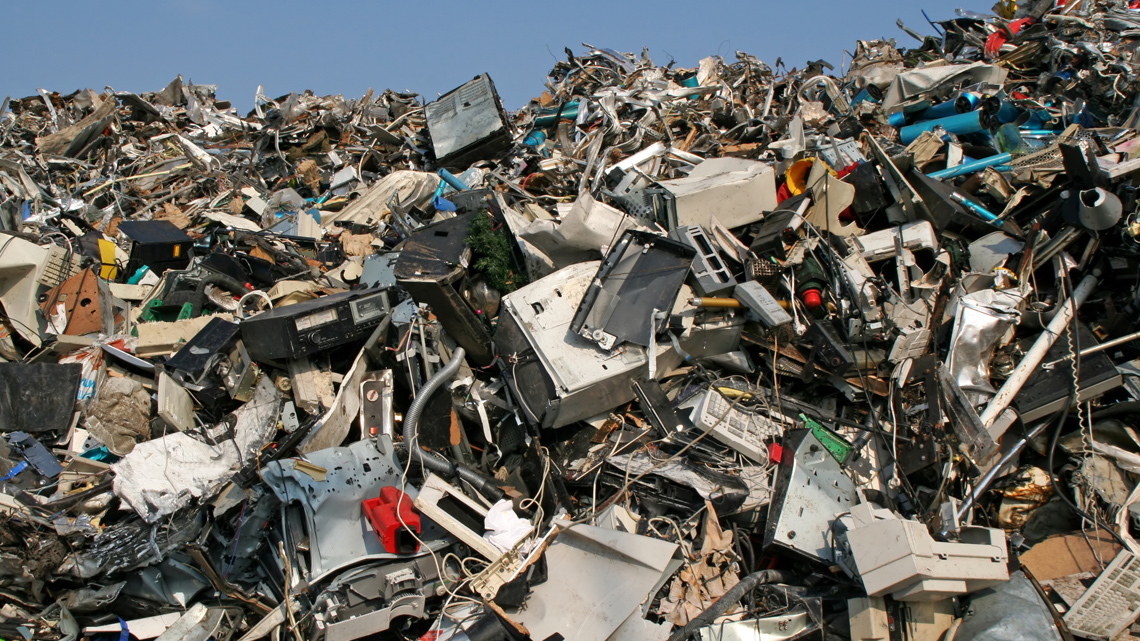
Have you ever wondered what happens to old devices after we stop using them? Every year, millions of electronic devices are thrown away when they break or stop working. These thrown-away devices are called e-waste. E-waste can hurt the environment and people's health if it is not thrown away properly. Also, a lot of e-waste ends up dumped in the trash, stored in homes, sent to other countries, or recycled in unsafe ways.
What can we do to help?
Here are some ways that we can reduce e-waste.
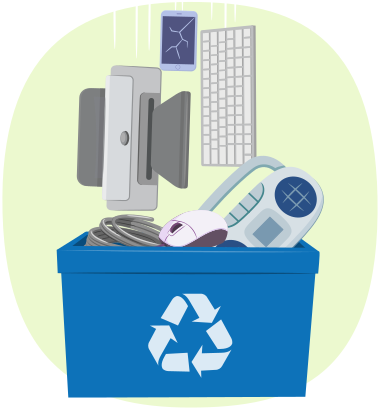
- Donate or sell electronics that work, instead of throwing them away.
- Throw away batteries and electronics safely and according to your neighbourhood instructions.
- Learn more about how e-waste affects your community and the world.
Source: https://www.who.int/news-room/fact-sheets/detail/electronic-waste-(e-waste)

Social Emotional Learning
Take a break!
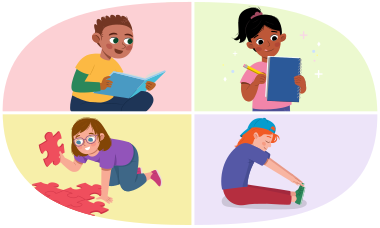
1-2-3 disconnect! Let’s take a break and try an offline activity.
For example, you can read a few pages of a book, doodle, solve a puzzle, or stretch your body.

Simple and compound sentences!
Sentences are the building blocks of communication. But did you know there are different types of sentences, each with their own parts? Let's learn about two main types of sentences.
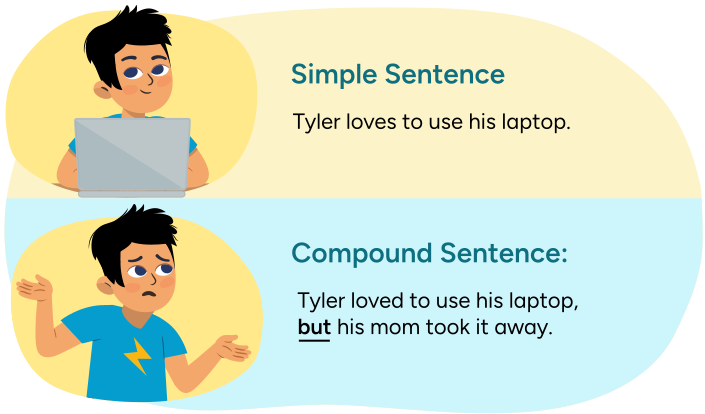
An example of a simple sentence is "Tyler loves to use his laptop."
An example of a compound sentence is "Tyler loved to use his laptop, but his mom
took it away." The word "but" is bold and underlined.

Student Tips
Conjunctions
A conjunction is a word that connects two simple sentences using a comma.
Check out some commonly used conjunctions in the following table.
| and | because | so |
| or | but | yet |
| although | as | until |
Let’s review our skills!
Review what you've learned about simple and complex sentences by completing the following sorting activity.
Remember, different sentence types add variety to your writing and help express your ideas. Keep exploring and experimenting to improve your writing.
Revisit your KWL chart
Now that you’ve learned more about some of the negative impacts of technology, it’s time to revisit and complete your KWL chart.
Think about three things you have learned and record them in your KWL chart using words, pictures, or another method of your choice.
Cursive practice
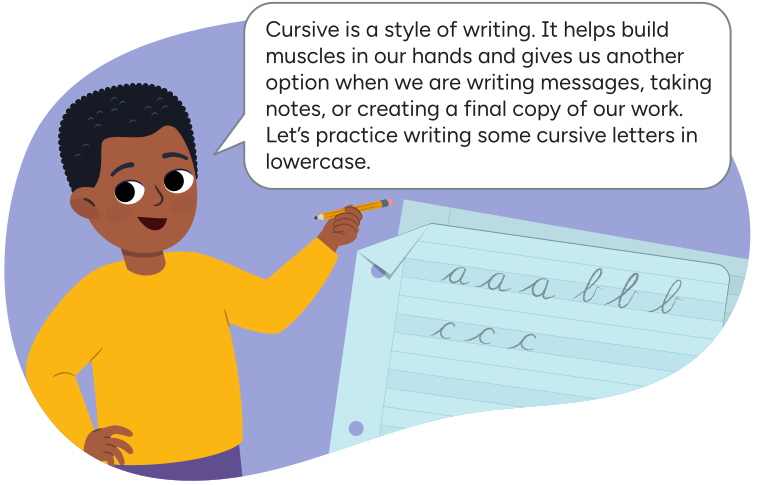
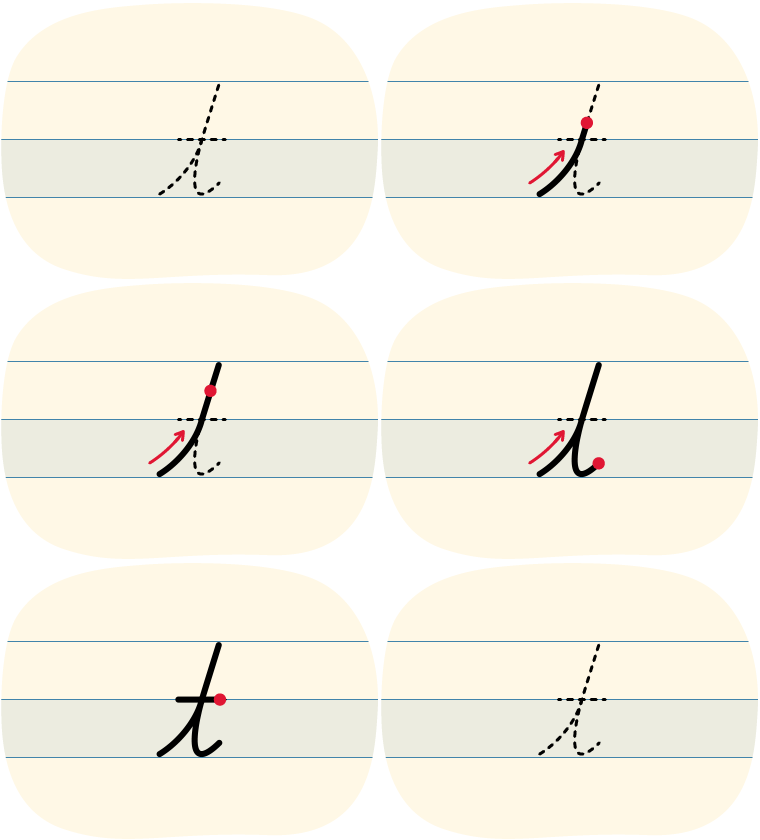
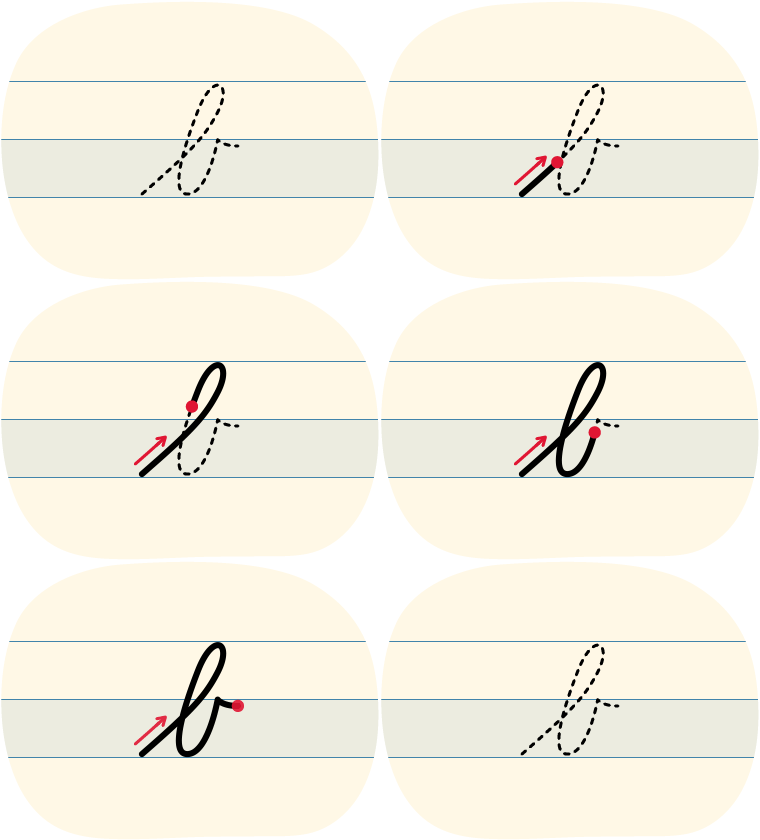
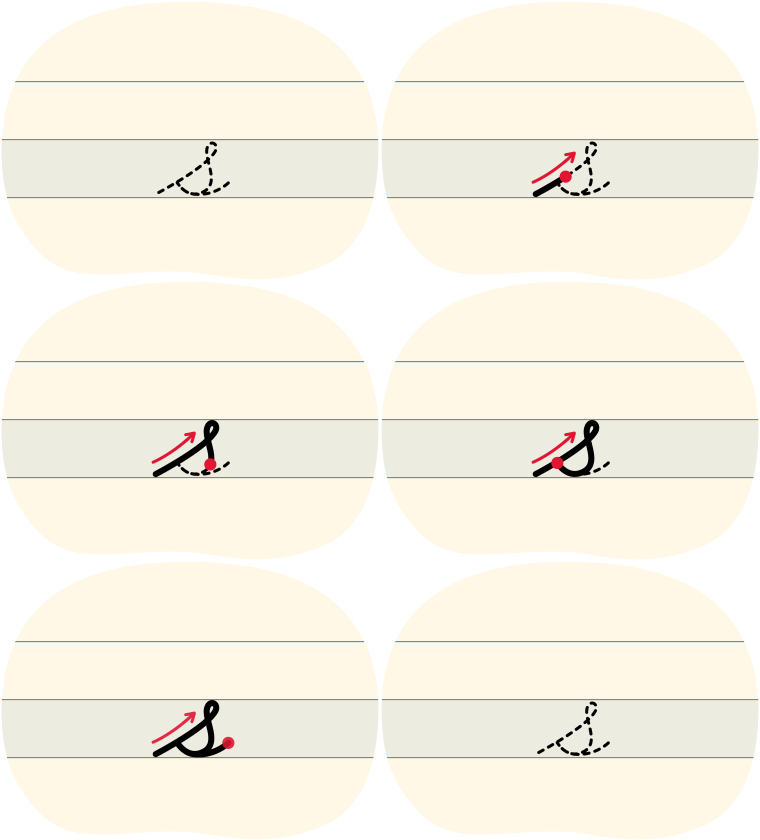
Arthur says "Cursive is a style of writing. It helps build muscles in our hands and gives us another option when we are writing messages, taking notes, or creating a final copy of our work. Let's practice writing some cursive letters in lowercase."
| Cursive | |
|---|---|
|
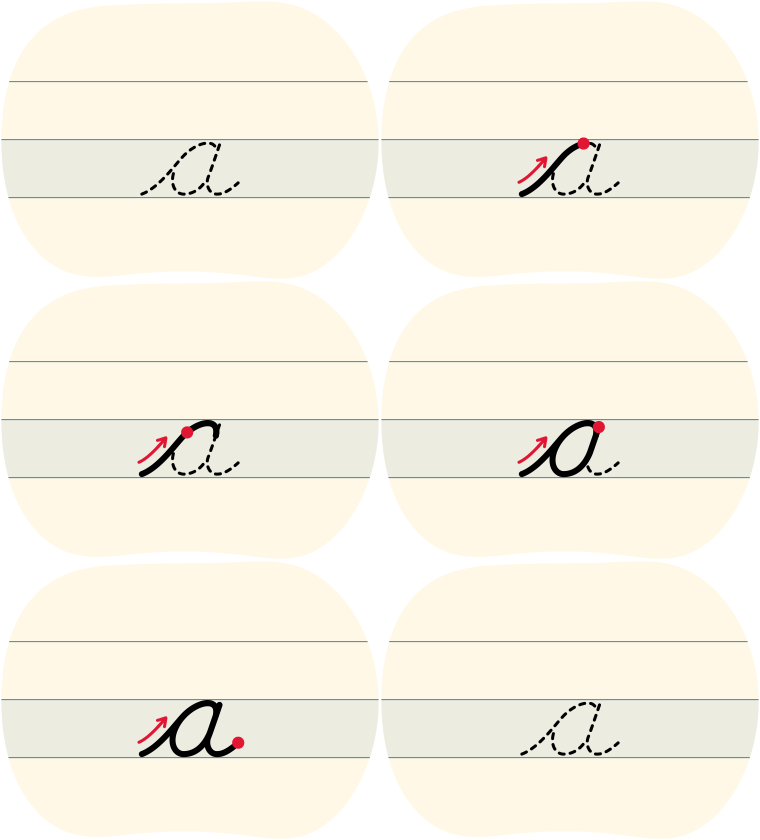
a |
|
|
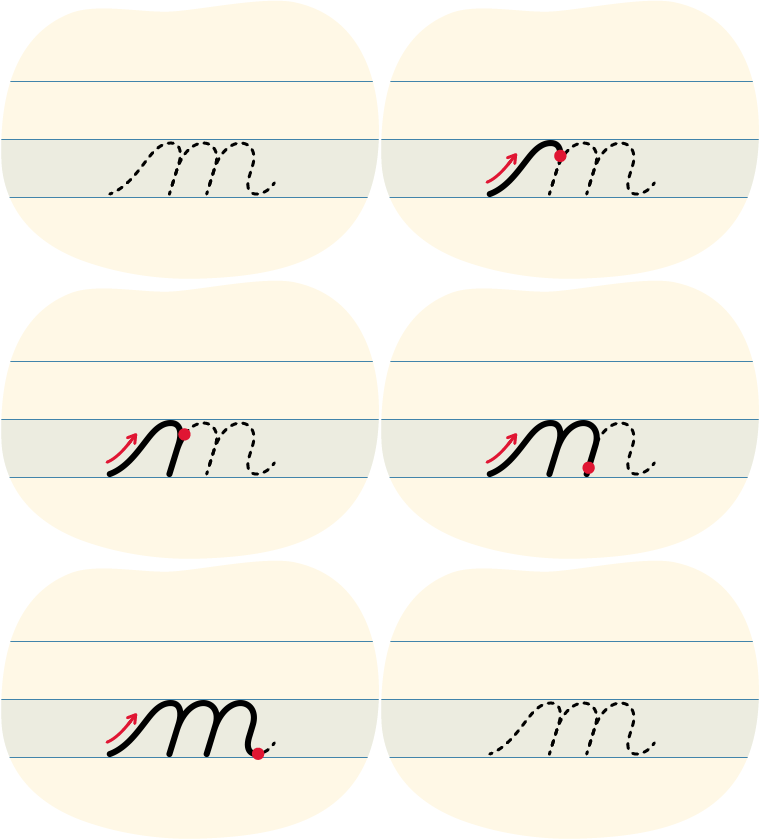
m |
|
|
t |
|
|
b |
|
|
s |
|
Before you begin, what do you notice about the shape of each cursive letter?
All of the cursive letters start from the bottom. Some of the letters have loops and they each create a different shape.
Tips for cursive letters
- Start from the bottom of the letter
- Try to keep the pencil on the page until you are done the letter
- Create a finger space before you continue to the next letter
- Try to press gently as you write so that your hand can move easily across the page
Cursive writing can be hard at first. But don’t worry, you can do it. All it takes is some practice!

Press the Left-Handed Tips button to access tips for left-handers.
Let’s review our learning!
Review what you have learned about the impacts of technology by completing the following true or false activity.
Select the correct answer, then press Check Answer to see how you did.

Student Success
Think
Now that you’ve learned more about e-waste, what might be some ways that e-waste can be reduced in your neighbourhood or community?
Record your answer in a method of your choice.
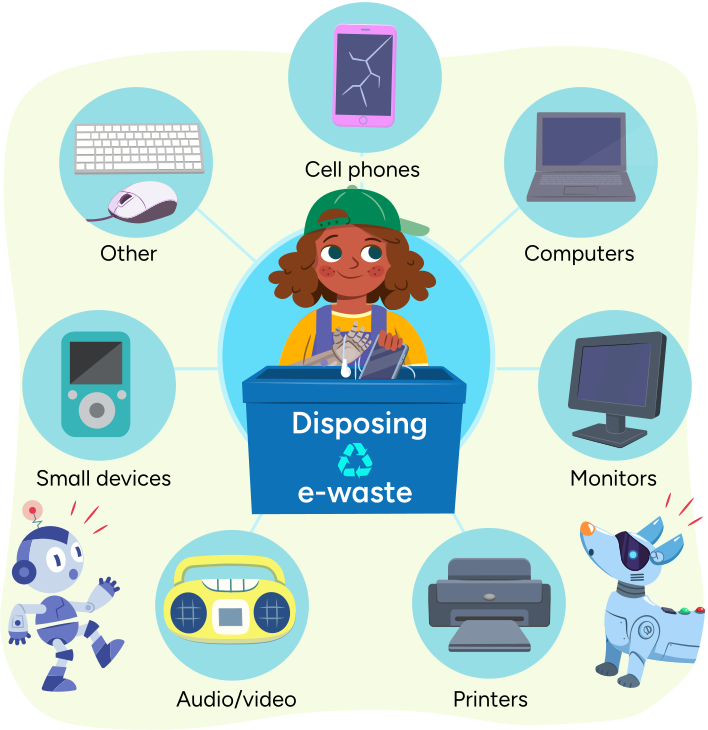
Gabby putting electronic devices into a recycling bin labelled "Disposing e-waste." Examples of e-waste are cell phones, computers, monitors, printers, audio/video devices like a stereo, small devices like music players, and other devices like a mouse and keyboard.
Reflection
How do you feel about what you have learned in this activity? Which of the next four sentences best matches how you are feeling about your learning? Press the button that is beside this sentence.

I feel...
Now, record your ideas about your feelings using a voice recorder, speech-to-text, or writing tool.