Learning goals
We are learning to…
- use critical thinking skills to analyze the differences between a citizen and digital citizen
- navigate online environments safely by managing private and personal data, being kind to others online, setting limits for our screen time, and seeking appropriate permission
- use our communication skills to create a poster with an intended audience, appropriate form, and message
- identify parts of speech and use them in sentences
Success criteria
I am able to…
- critically think and reflect on the differences between a citizen and a digital citizen
- identify different strategies for staying safe online
- create a digital poster that communicates to an intended audience a message about how to stay safe online
- identify parts of speech and use them in sentences
Who is a citizen?
Being a citizen means that you belong to a place or group and, in return, follow the group's rules. For example, being part of a team is like being a citizen because you get the rights and privileges of being a part of the group. Still, you must also agree to be responsible for following the group’s agreements and rules.

Brainstorm
Brainstorm
Take a moment to think about the following question:
- How does a digital citizen differ from a citizen?
If possible, share your ideas about the questions with a peer or trusted adult.
Digital citizenship
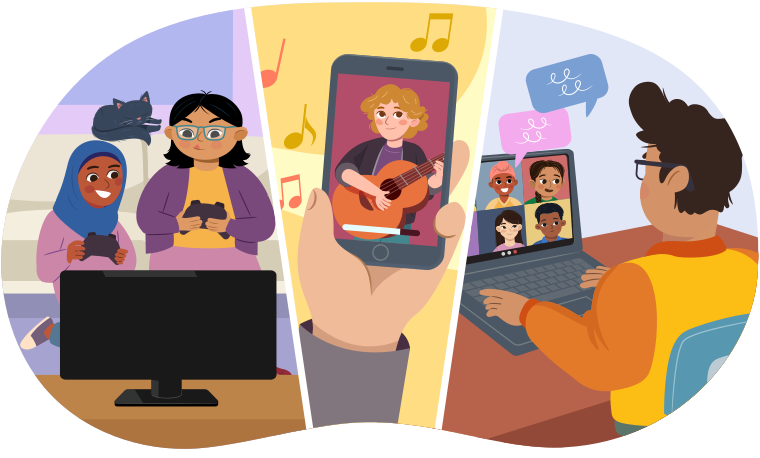
Learners participating in a digital community: playing video games with friends, watching a music concert online, and chatting with friends online.
Digital citizens are citizens of an online community. This means they get to enjoy different parts of being online, like playing games, watching videos, or chatting with people that they know. This also means they have certain responsibilities that help them and other online community members stay safe. Now we will explore some of the most important rules for being a digital citizen.

Online safety
Press the following tabs to learn more about online safety.

There are several things that you can do to be safer online.
- Go to sites that are for kids. If you’re not sure if a site is appropriate, ask an adult, and they can help you figure it out.
- Talk only to people that you know.
- Never share your passwords (except with a parent or guardian).
- If you see or hear something that makes you feel uncomfortable or unsafe, leave the site immediately and tell a trusted adult right away.
- Be careful about sharing personal information online and always get permission before you share someone else’s pictures, videos, or information with others.
Avoid saying things that are not true or harmful. When you see or hear something mean or untrue about someone that you know, stand up for them if you can. Or talk to a trusted adult.

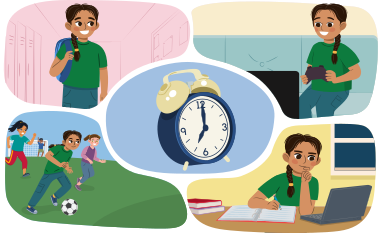
Work with your parents, guardians or a trusted adult to decide what amount of screen time works best for you. Once you have reached that limit, have a plan for things that you can do next.
Remember, setting screen time limits is also important for your physical and mental health.
For example, too much screen time can hurt your ability to sleep and concentrate.
For each sentence, select the missing words from the drop-down menu. Press Check Answer to see how you did.

Typing practice
Typing is a great skill to develop! When we need to use a computer or tablet keyboard, knowing how to type helps us:
- take notes
- respond to messages
- create final drafts of our work.
Explore the following image to see what fingers are used to type each letter or number.
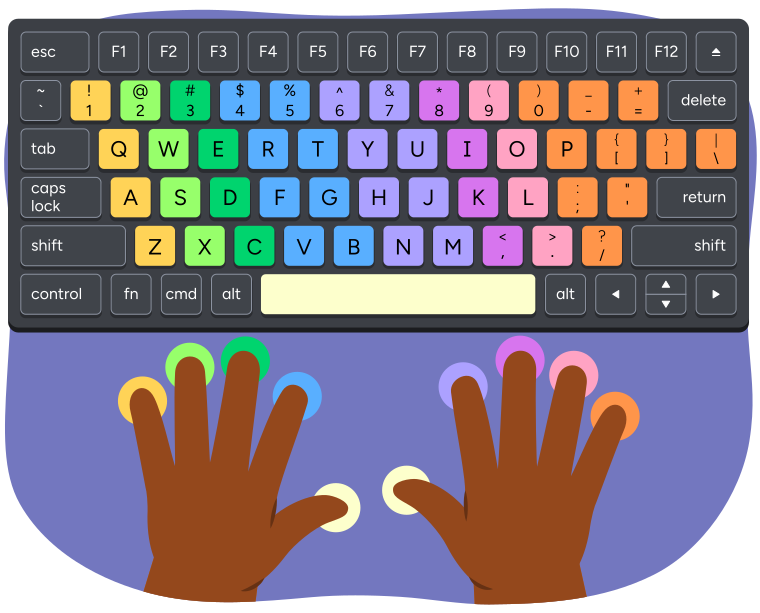
A keyboard and hands showing which fingers are used to press each key when
typing.
The left pinky finger presses the keys 1, Q, A, and Z.
The left ring finger presses the keys 2, W, S, and X.
The left middle finger presses the keys 3, E, D, and C.
The left index finger presses the keys 4, 5, R, T, F, G, V, and B.
The left or right thumb presses the space bar.
The right index finger presses the keys 6, 7, Y, U, H, J, N, and M.
The right middle finger presses the keys 8, I, K, and comma.
The right ring finger presses the keys 9, O, L, and period.
The right pinky finger presses the keys 0, minus, equal, P, open bracket,
closed bracket, backslash, semicolon, apostrophe, and forward slash.
We use specific muscles in our hands to type! It’s important to practice so that it becomes easier to type correctly without putting too much pressure on our hands and our wrist.
Explore the following interactive for tips you can use when typing.
Time to practice your skills!
Click the link below to play an interactive typing game.

Parts of speech!
Before you begin working on your next activity, let’s do a grammar warm-up by reviewing some of the most used parts of speech in a sentence.
Let’s practice!
For each term select the corresponding definition.

Student Wellness
Take a break!
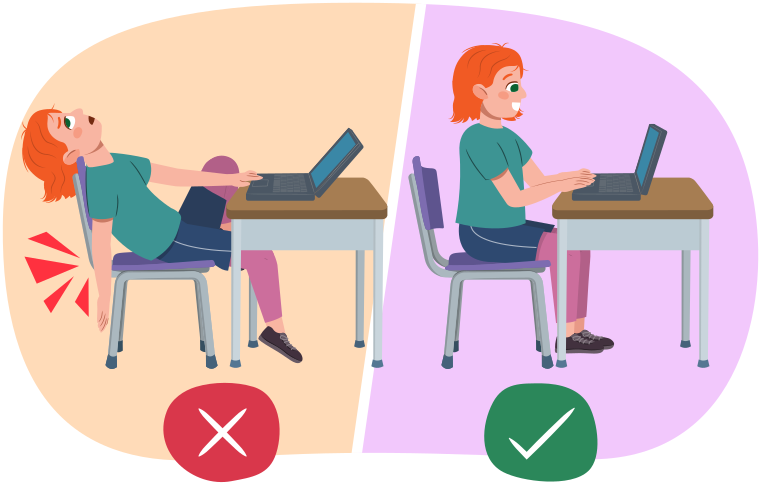
If you’re sitting, take a few minutes to stretch and adjust your posture.
Media texts
Digital posters and billboards are a type of media text and use different images, colours, words, fonts, sizes, and placements to catch the intended audience’s attention. The audience might only notice the poster for a few seconds, like when scrolling through a site. This means that the message on the poster must be short and simple but also share good information.
Let’s look at some more digital posters to better understand how they work.
Task 1
Brainstorm
Brainstorm
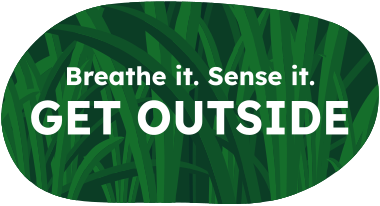
Explore the description below for a billboard design. If possible, discuss (and share) your thinking with a partner or record your thoughts.
Questions:
- How does the font size, font contrast, and background help to communicate the message?
- Where do you think this billboard should be placed to be the most effective?
- How would you create an audio version of this ad to bring about the same effect?
- Who is the target audience for this billboard? Why do you think that?
Task 2
Version 1
Description
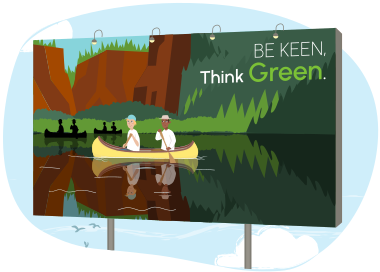
This is a billboard showing two people canoeing across a still lake, with mountains in the background. There is a short message that is direct and to the point. The message reads “Be Keen. Think Green,” and it is written in large font size so people can read it clearly. The word "Green" is bolded.
Version 2
Description
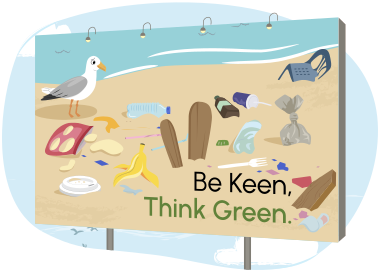
This is a billboard showing a beach littered with pieces of plastic, a broken chair, empty bottles and garbage. A seagull stands next to the messy area. At the bottom of the billboard there is a short message that is direct and to the point. The message reads "Be Keen, Think Green." The words are bolded and written in a large font size so that people can read it clearly.

Student Success
Think
Think about the following questions:
- Who is the target audience for each description?
- Do you think the different backgrounds change the target audience?
- How does changing the billboard elements affect the message?
- How do you think the two versions or descriptions would make the target audience feel?
Creating a digital poster
Think back to your learning about digital citizenship and how you can make safe choices online.
You will use what you have learned to help others do the same.
You are going to create a digital poster!
Planning and drafting
Before you begin creating your poster, consider the following questions to help you organize your ideas and thoughts:
- Who is my target audience?
Press the Hint button to learn more.
Think about what group you are designing this poster for.
Examples:
- children
- adults
- students at school
- What words, sentences, and facts will I include to get the information across to my audience?
Press the Hint button to learn more.
Think about strong nouns, adjectives, verbs, and adverbs that describe digital citizenship.
For example: The importance of being a responsible, safe, and kind digital citizen.
Examples:
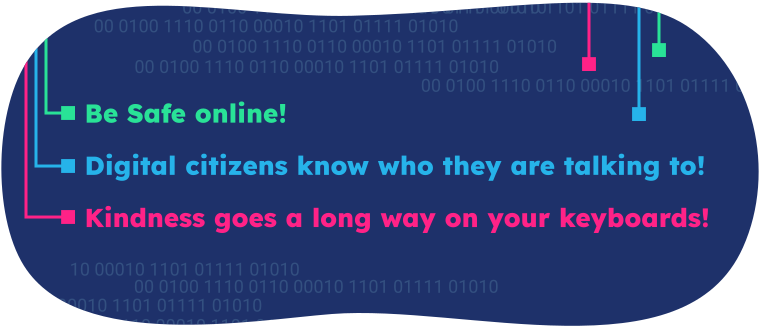
A digital background with binary code and circuit images with the phrases, 'Be safe online! Digital citizens know who they are talking to! Kindness goes a long way on your keyboards!'
- What images and drawings will I include to get the information across to my audience?
Press the Hint button to learn more.
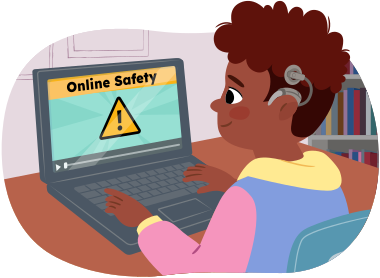
Think about what images are relevant (make sense) when informing others about digital citizenship.
Use the following checklist to guide you as you create your poster.
Digital citizenship poster checklist:
Here is an example of what a poster about digital citizenship might look like to help you get started!
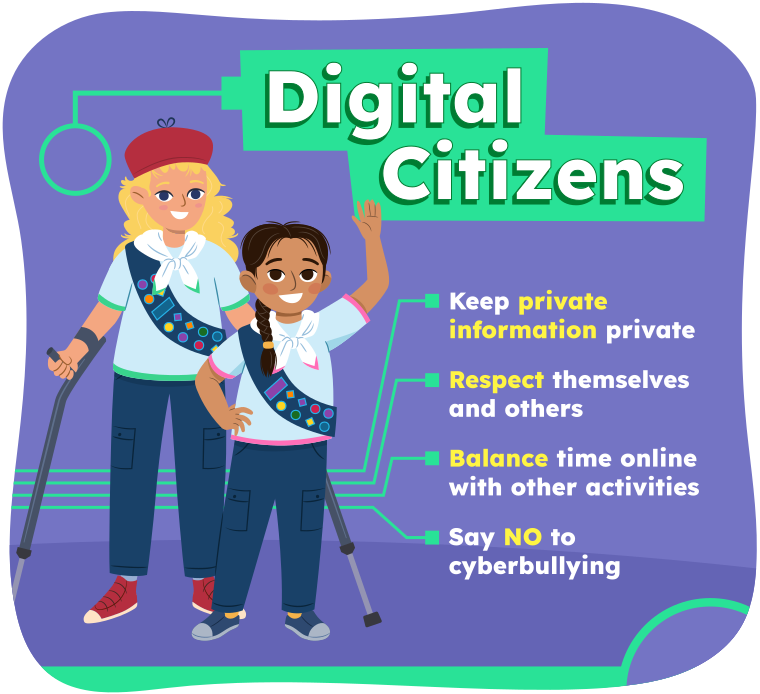
A poster created by Danielle and Remy. It is titled, 'Digital
Citizens.' They've used bright colours and clear font to make their message
stand out. The poster title is emphasized with a background colour that also has
a digital circuit icon. They've used digital circuits instead of bullet points
for each of their digital safety tips. Their tips are:
'Keep private information private'
'Respect themselves and others'
'Balance time online with other activities'
'Say NO to cyberbullying'
In each phrase, the most important words are
highlighted in a different colour. These words are, 'private information,'
'respect,' 'balance,' and 'NO.'
In the poster, Danielle and Remy are
wearing a uniform of pants, a t-shirt, a bandana around their necks, and a sash
with many merit badges on it. They appear to be some kind of experts who have
achieved lots of credentials. Their appearance makes them look more official and
qualified to be giving tips about being a good digital citizen.
Putting it together
Create your poster using digital online tools or a method of your choice. If possible, share your poster in an area so that your intended audience sees it.
Student Success
Think

What are some things you used in your poster that you think make it more effective?
Record your answers in a method of your choice.
Reflection
How do you feel about what you have learned in this activity? Which of the next four sentences best matches how you are feeling about your learning? Press the button that is beside this sentence.

I feel...
Now, record your ideas about your feelings using a voice recorder, speech-to-text, or writing tool.