
What is a digital footprint?
Do you know what a digital footprint is? What do you think it might be?
When we come across words or a term that we’re not sure of, we can use our prior knowledge to make a guess about what the new term might mean.
Press the Definition button to learn more.
Prior knowledge is something that we already know about a topic.
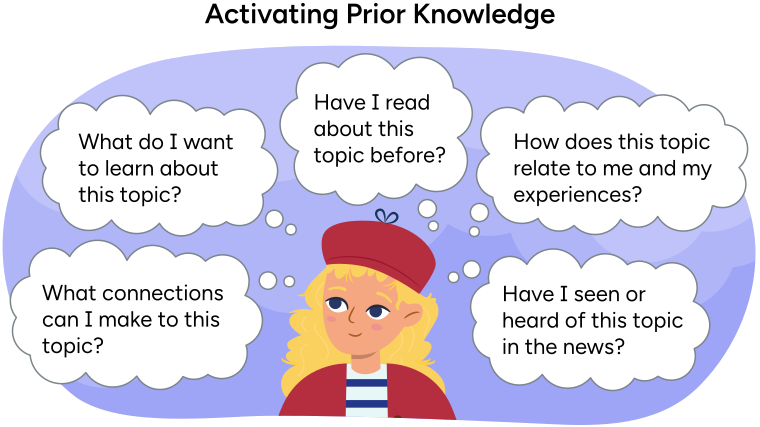
Danielle thinks about how to activate her prior
knowledge.
Activating prior knowledge
What connections can I make to this topic?
What do I want to learn about this topic?
Have I read about this topic before?
How does this topic relate to me and my experiences?
Have I seen or heard of this topic in thew news?
Activity time!
For the next activity, think about how each word might connect to the words "digital" and "footprint."
Press the Hint button to learn more.
Digital: Words related to technology, computers, and online activities.
Footprint: Words related to tracks or prints left behind.
Place the cards into categories that best match. Use the arrow buttons to navigate between cards.

Pause and Reflect
Pause and reflect
Now that you’ve explored some connecting words, what might be your guess about what a digital footprint is?

Record your answers in a method of your choice.
Imagine you are walking through the snow in a park. Even after you’ve left the park, your footprints might still be there. They show that you were at the park, even after you’ve gone home. Just like those footprints in the snow show where you have been, a digital footprint is like a trail or mark you leave on the internet.
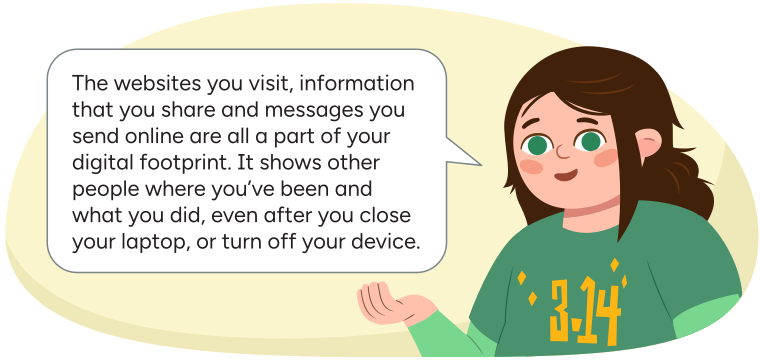
Sam explains, 'The websites you visit, information that you share and messages that you send online are all part of your digital footprint. It shows other people where you've been and what you did, even after you close your laptop, or turn off your device.'


Today’s vocabulary!
Press the following tabs to learn more about today’s vocabulary.
Information about you that can let someone know who you are and where you live, like your full name or address.
Information about you that cannot be used to identify you because it is also true for many other people.
For example, your interests or your hobbies.
All the information about you that is on the internet. This can include things like the websites you visit, the games you play, the pictures you share, and the messages you send.
Protecting your privacy
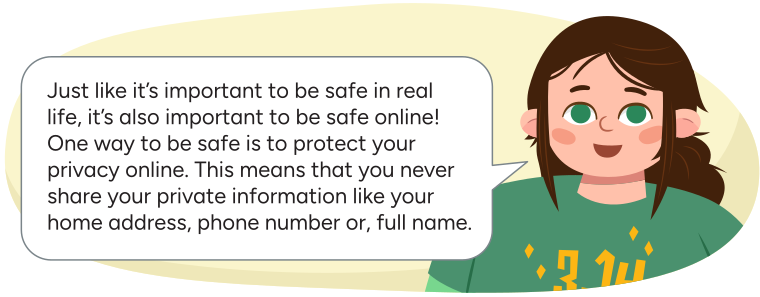
Sam says, 'Just like it's important to be safe in real life, it's also important to be safe online! One way to be safe is to protect your privacy online. That means that you never share your private information like your home address, phone number, or full name.'
Are there any activities you do online where there are people you don’t know in real life? Do you know what to do when someone you don’t know sends you a message?
Check out the following video entitled Privacy Please to learn more about protecting your privacy online.
Learning check!
Select the correct answer, then press Check Answer to see how you did.
Personal posts
We have been learning how it’s important to not share our private information online. But what kind of information can we share online?
There are some situations when sharing things online with others can be fun and positive.
Pause and Reflect
Pause and reflect
What is something you might share online that could help you learn new things, connect with others or raise awareness?
Record your answers in a method of your choice.
When we are sharing information, it’s important to think about the difference between private and personal information.
Press the Definition button to learn more.
Private information can identify you. This means it lets someone know who you are and how they can contact you.
For example, your home address, your phone number, your full name, or your birthday.
Personal information is information that doesn’t identify you because it can be true for a lot of different people.
For example, your hobbies and interests, your pets, or your favorite book.
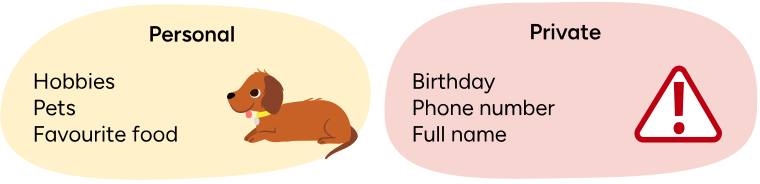
Examples of personal information can be hobbies, pets, or favourite food. Examples of private information are your birthday, phone number, or full name.
Personal or private information?
Place the cards into categories that best match. Use the arrow buttons to navigate between cards.
It’s important to think about our digital footprint every time we go online. The information we share on the internet can stay on the internet and can also be used by others. We can’t control who will share our information and what things stay online after we post them.
Practicing digital citizenship: Check your tone!
Digital communication has many benefits and can be a lot of fun. It can also be tricky. When we communicate in person, our tone of voice, our facial expressions, and our body language help us to communicate our message clearly and effectively. But when we communicate digitally, our message can be easily misunderstood.

Student Success
Think
Think about the following questions:
- Do you know someone who made a joke in a typed or written note then second-guessed if the person who received the note, got that it was just a joke?
- Do you know someone who has received a text or written note and then worried that the person who sent it was mad at them?
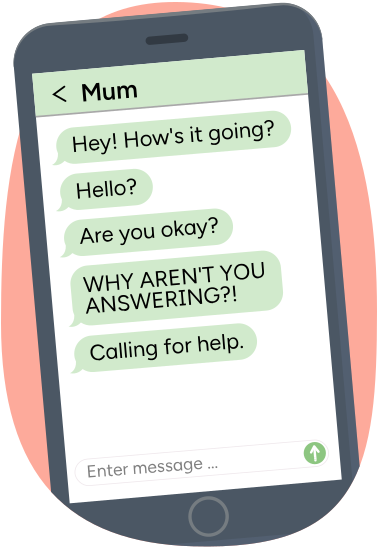
A cellphone with several text messages. The texts are from someone's
mum, with no replies. The texts read,
'Hey! How's it going?'
'Hello?'
'Are you okay?'
'WHY AREN'T YOU ANSWERING?'
'Calling for help.'
Interpreting written messages can be challenging because words can be read with different tones and emotions. Changing where we place the emphasis in a sentence or phrase can completely change the message that gets delivered! We also can’t rely on visual cues, like body language, facial expressions, or punctuation to help determine the tone or emotions of a message.

Types of sentences!
Sentences convey a lot of meaning. There are four types of sentences.
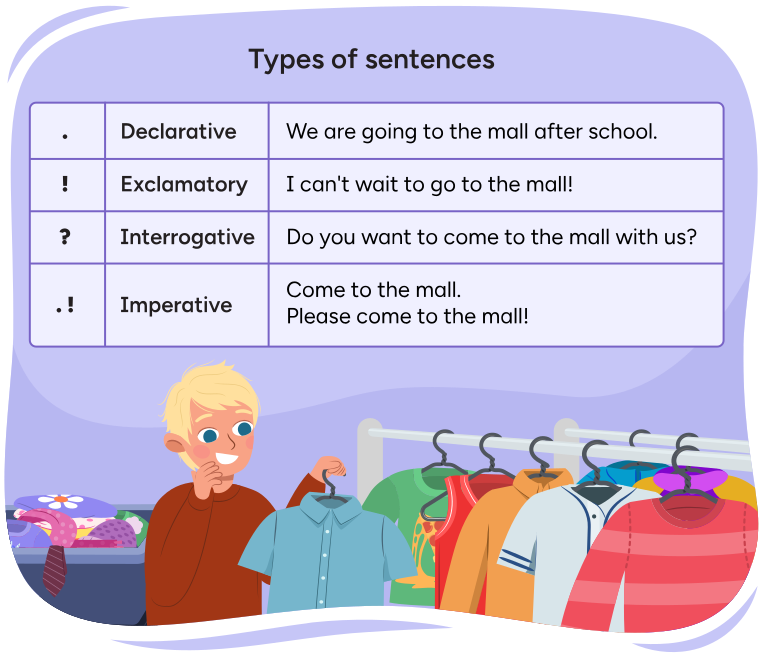
Four types of sentences. Each type of sentence ends with specific punctuation marks.
Each type of sentence also has a sample sentence.
Types of sentences:
Declarative
Sentences: end with a period. For example, 'We are going to the mall after
school.'
Exclamatory Sentences: end with an exclamation mark! For example, 'I can't
wait to go to the mall!'
Interrogative Sentences: end with a question mark. For
example, 'Do you want to come to the mall with us?'
Imperative Sentences: can end
with either an exclamation mark or a period. For example, 'Come to the mall. Please
come to the mall!'
Press the Hint button to learn more.
Declarative Sentences: are statements and end with a period.
Interrogative Sentences: are questions and end with a question mark.
Exclamatory Sentences: share excitement and end with an exclamation mark!
Imperative Sentences: are commands or requests and can end with either an exclamation mark or a period.
Check your tone!
Listen to the changes in tone based on the type of sentence and punctuation used.
Sentence sorting
Place the cards into categories that best match. Use the arrow buttons to navigate between cards.

Student Wellness
Take a break!
Let’s get creative! Take a few minutes to freestyle draw, write, or colour.


Creating a summary!
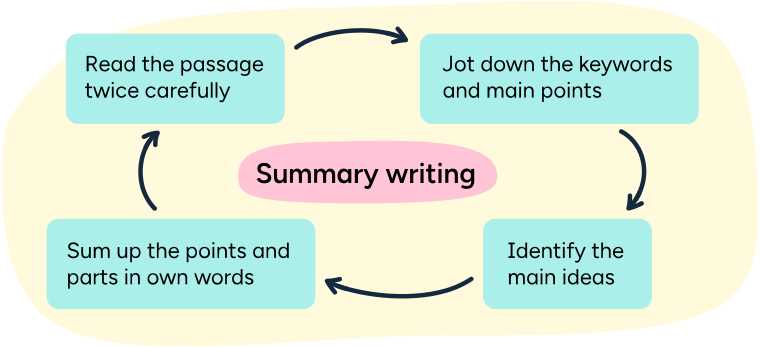
An infographic about four steps to writing a summary.
Summary writing:
Read the passage twice carefully.
Jot down the keywords and main points.
Identify the main ideas.
Sum up the points and parts in own words.
Sometimes when we learn a lot of information, it can be hard to remember or think about all of it. That's why we use summaries. A summary is a shorter version of a longer piece of information. It includes the main ideas and important details in a clear way to help you understand the text more quickly. Summarizing information means that we are creating a summary about the information.
Summarizing helps you:
- Remember the information.
- Learn information quicker.
- Share information with others.
- Think about which information is important.
Summarizing helps you build your critical thinking skills.
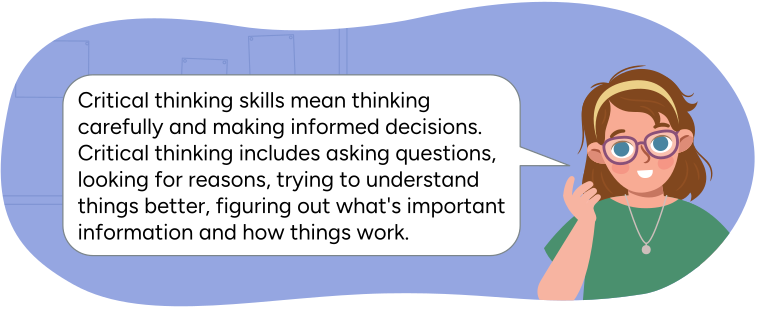
Ava shares, 'Critical thinking skills mean thinking carefully and making informed decisions. Critical thinking includes asking questions, looking for reasons, trying to understand things better, figuring out what's important information and how things work.'
Which critical thinking skills do you think are being used when you summarize information?
Press the Possible Answers button to learn more.
- Trying to understand things better.
- Figuring out what’s important information.
There are different ways to summarize information. You can write it in a paragraph, draw pictures, or use a graphic organizer like the one below. A graphic organizer helps you organize the information and summarize what you have learned. This can make it easier to share what you have learned with others.
You will be revisiting and writing a summary for the video “Privacy Please!” Before starting, let’s check out some questions to consider before brainstorming ideas and writing the summary.
Before viewing
Here are three steps to consider when summarizing information:
- identify main idea
- find and organize important details that support the main idea
- summarize
Exploring the video
Explore the following video to learn more.
After viewing
Next you are going to use a graphic organizer to record details like:
- Identifying main ideas: First, let's find the main ideas or details from the video “Privacy Please!”
- Finding and organizing important details that support the main idea: Next, record 3-4 supporting details using your own words.
- Summarizing: Finally, we put these details together to make a summary.
Complete the fillable and printable Privacy Summary Organizer in your notebook or using the following document. If you would like, you can use speech-to-text or audio recording tools to record your thoughts.
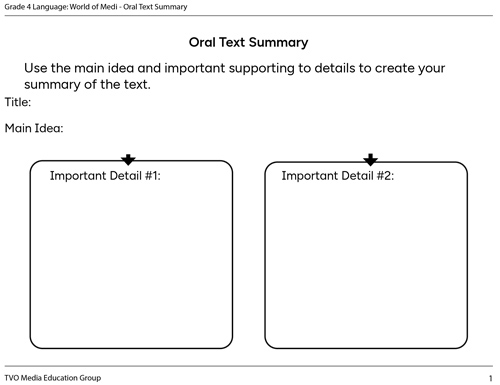
Press the Show Answer button to reveal a completed Summary Graphic Organizer.
Title: Privacy Please!
Main Idea: Protecting your privacy and staying safe online
|
Important detail #1
|
Important detail #2
|
|
Important detail #3
|
Important detail #4
|
Putting it all together
After brainstorming, gathering, and organizing ideas in your summary graphic organizer, you can put it all together to create a summary paragraph.
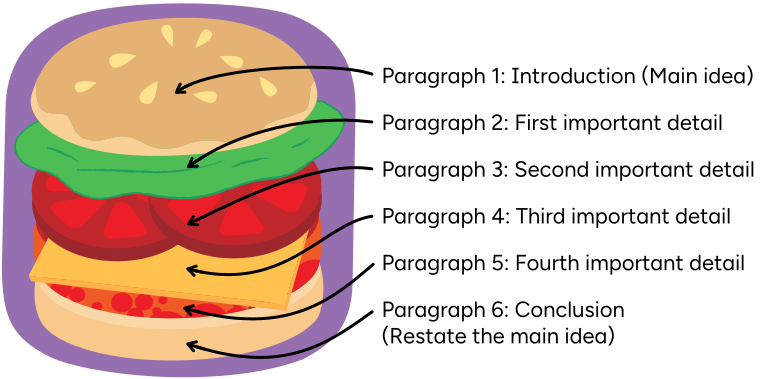
An example of a paragraph frame with a list of six paragraph types. A paragraph
frame is a structure to organize your writing into an effective summary. The
paragraph frame has specific parts which go in a specific order, much like how a
hamburger has a specific order that begins and ends with a bun.
Paragraph 1: Introduction (Main idea)
Paragraph 2: First important detail
Paragraph 3: Second important detail
Paragraph 4: Third important detail
Paragraph 5: Fourth important detail
Paragraph 6: Conclusion (Restate the main idea)
Complete the fillable and printable Paragraph Frame in your notebook or using the following document. If you would like, you can use speech-to-text or audio recording tools to record your thoughts.
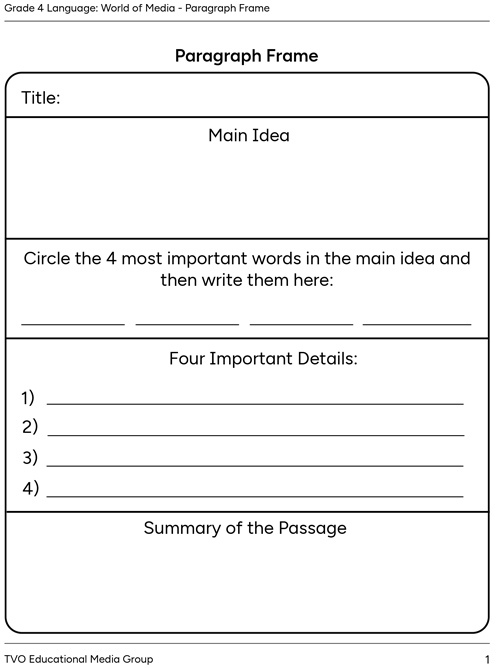
Press the Show Answer button to access an example of a summary paragraph.
Title: Privacy Please!
Main Idea: Protecting your privacy and staying safe online
In the video, Ava talks about important safety tips to maintain a safe online environment. The main idea of Privacy Please! is protecting our privacy and staying safe online. Ava talks about 4 important details. Ava talks about keeping your information safe, asking for help, getting permission, and protecting passwords.
Keep your information safe: don't share your phone number, home address, or real full name online. Use a nickname instead to protect your privacy.
Ask for help: if something online doesn't feel right or if you're unsure, ask a grown-up you trust, like a parent, for advice.
Get permission: before you play new games or do something online, it's important to ask your parents or caregivers for permission first.
Protect your passwords: Keep your passwords private and only share them with your parents. They can help you manage your online safety.
These are all the important details and steps that we should take to maintain a positive and safe online environment.

Let’s review!
We have been learning about digital footprints, raising awareness on safely sharing personal and private information, and maintaining safe and positive online environments.
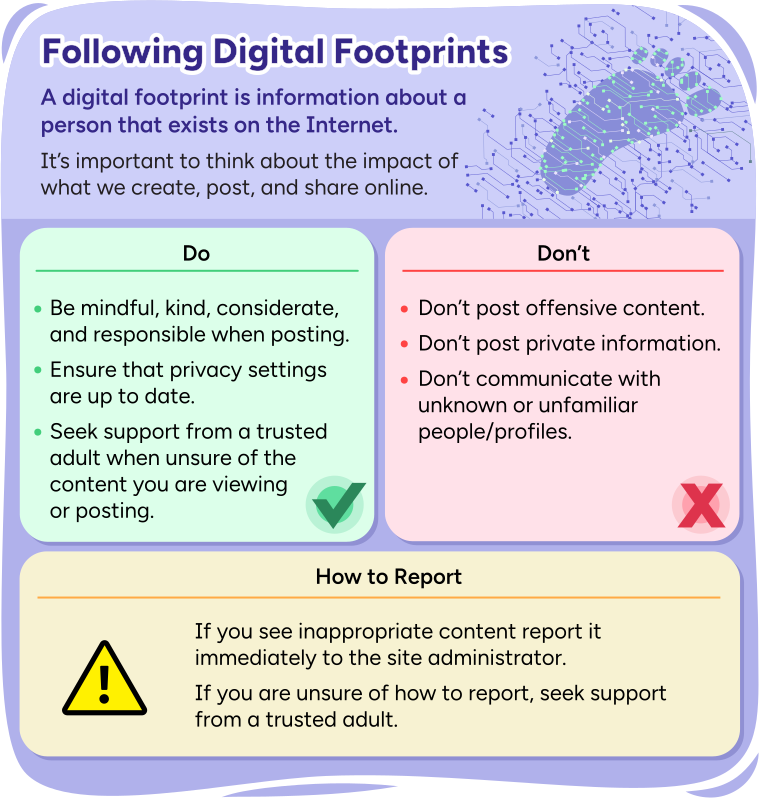
Heading: Following Digital Footprints
A digital footprint is information about a person that exists on the
Internet.
It's important to think about the impact of what we create, post, and share
online.
Subheading 1: Do
Be mindful, kind, considerate, and responsible when posting.
Ensure that privacy settings are up to date.
Seek support from a trusted adult when unsure of the content you are
viewing or posting.
Subheading 2: Don't
Don't post offensive content.
Don't post private information.
Don't communicate with unknown or unfamiliar people/profiles.
Subheading 3: How to Report
If you see inappropriate content report it immediately to the site
administrator
If you are unsure of how to report, seek support from a trusted adult.
Learning check!
Let’s think more about digital footprints and sharing information online.
Select the correct answer, then press Check Answer to see how you did.
Review each scenario and answer the questions in a method of choice.
Press the following tabs to learn more about each scenario.
- Is this part of your digital footprint?
- Is this private or personal information?
- Is this something you should think carefully about before doing?
Press the Show Answer button to learn more.
- Is this part of your digital footprint? Yes
- Is this private or personal information? Private
- Yes, this is something you should think about and should ask permission first.
- Is this part of your digital footprint?
- Is this private or personal information?
- Is this something you should think carefully about before doing?
Press the Show Answer button to learn more.
- Is this part of your digital footprint? Yes
- Is this private or personal information? Personal
- You should always think carefully about posting anything about yourself, but sharing information about your favourite game score is safe.
- Is this part of your digital footprint?
- Is this private or personal information?
- Is this something you should think carefully about before doing?
Press the Show Answer button to learn more.
- Is this part of your digital footprint? Yes
- Is this private or personal information? Personal
- You should always think carefully about commenting on posts. Ensuring that comments are positive, kind, and thoughtful.
Student Success
Think
How does your digital footprint impact your everyday life?
Explain your thinking in a method of your choice.
Create your own summary!
Explore the following video to learn more.
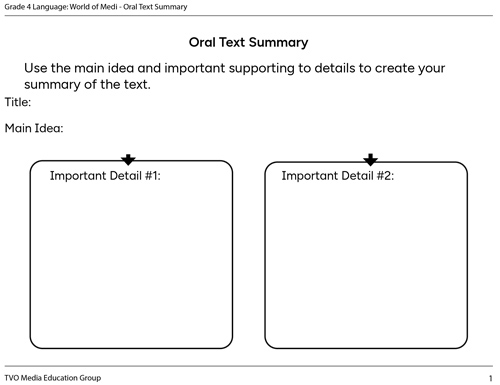
Complete the fillable and printable Summary Graphic Organizer in your notebook or using the following document. If you would like, you can use speech-to-text or audio recording tools to record your thoughts.
Use the following checklist to guide you as you create your summary.
Summary checklist
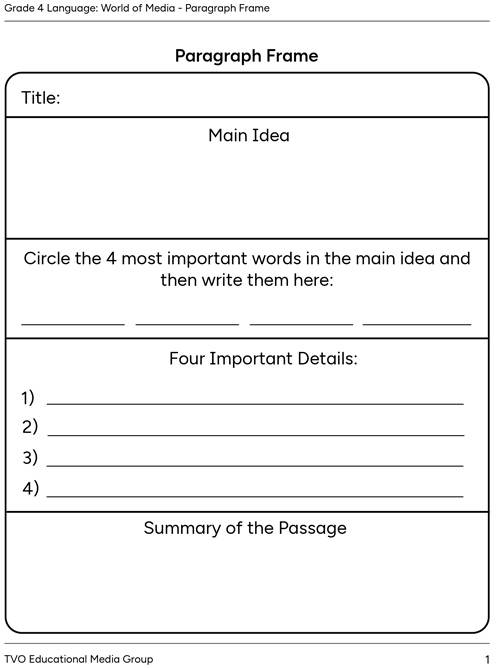
Complete the fillable and printable Paragraph Frame in your notebook or using the following document. If you would like, you can use speech-to-text or audio recording tools to record your thoughts.
Reflection
How do you feel about what you have learned in this activity? Which of the next four sentences best matches how you are feeling about your learning? Press the button that is beside this sentence.

I feel...
Now, record your ideas about your feelings using a voice recorder, speech-to-text, or writing tool.