Learning goals
We are learning to…
- analyze and distinguish between different forms of media
- organize and record information using different tools and strategies
- punctuate and capitalize direct quotes
- write poetry with a rhyme pattern
Success criteria
I am able to…
- identify three or more examples of different forms of media
- organize information from a text using a graphic organizer or other tool
- correctly apply punctuation and capitalization to direct quotes
- create a three-stanza poem with an ABCB rhyme pattern
Exploring images
Examine the following images and try to answer these questions:
- Can you identify the activity shown in each image?
- Which of the activities are things you’ve done/tried?
- What do the images have in common?


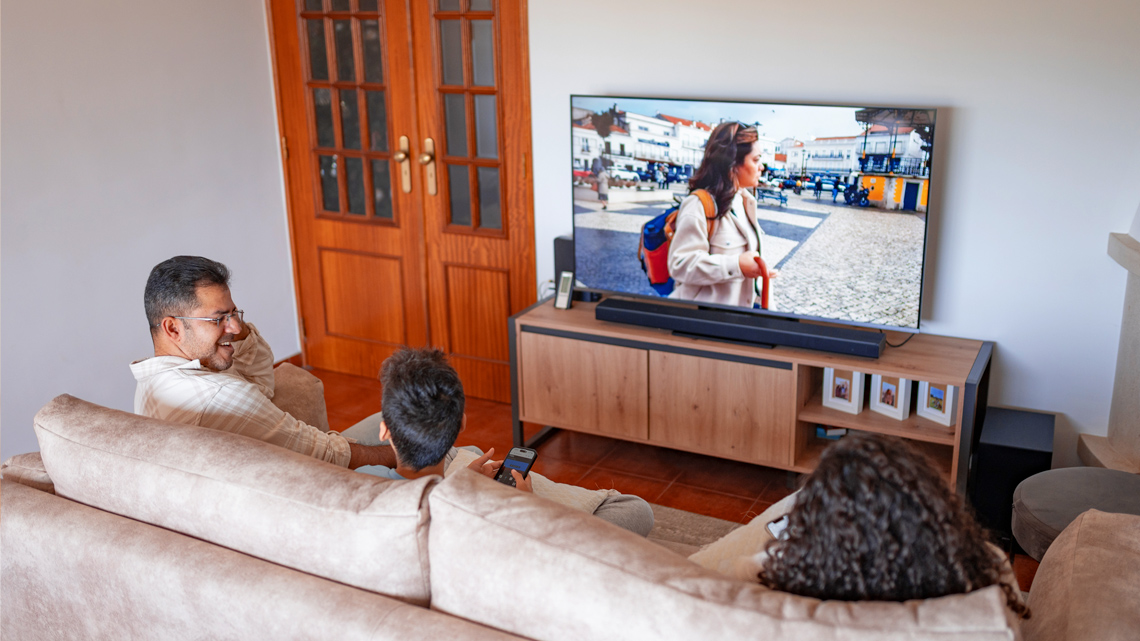
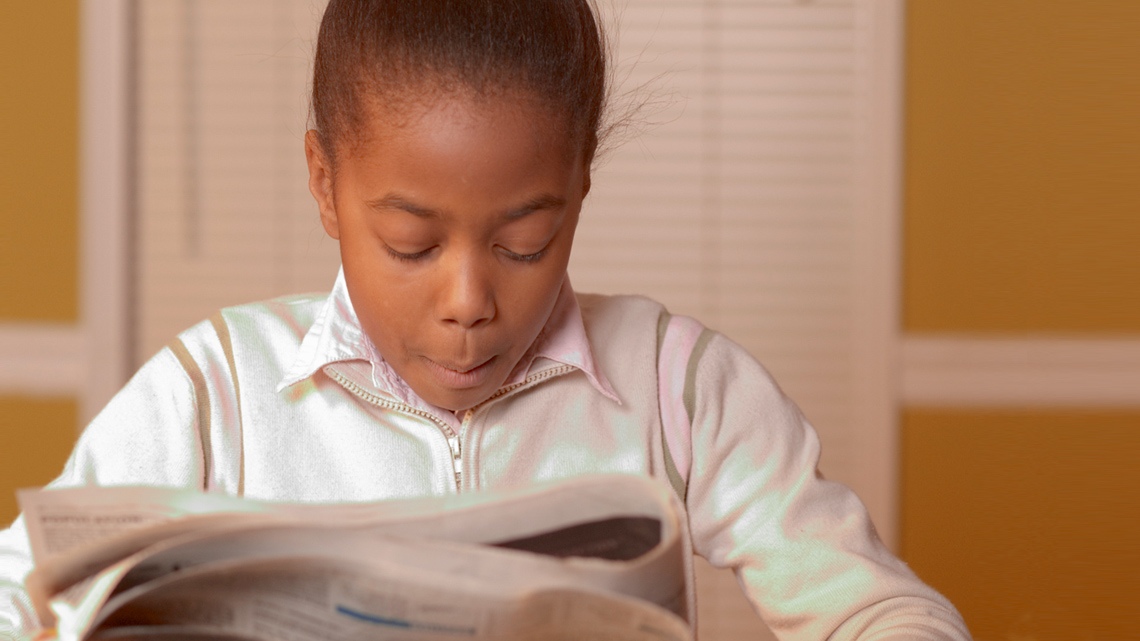


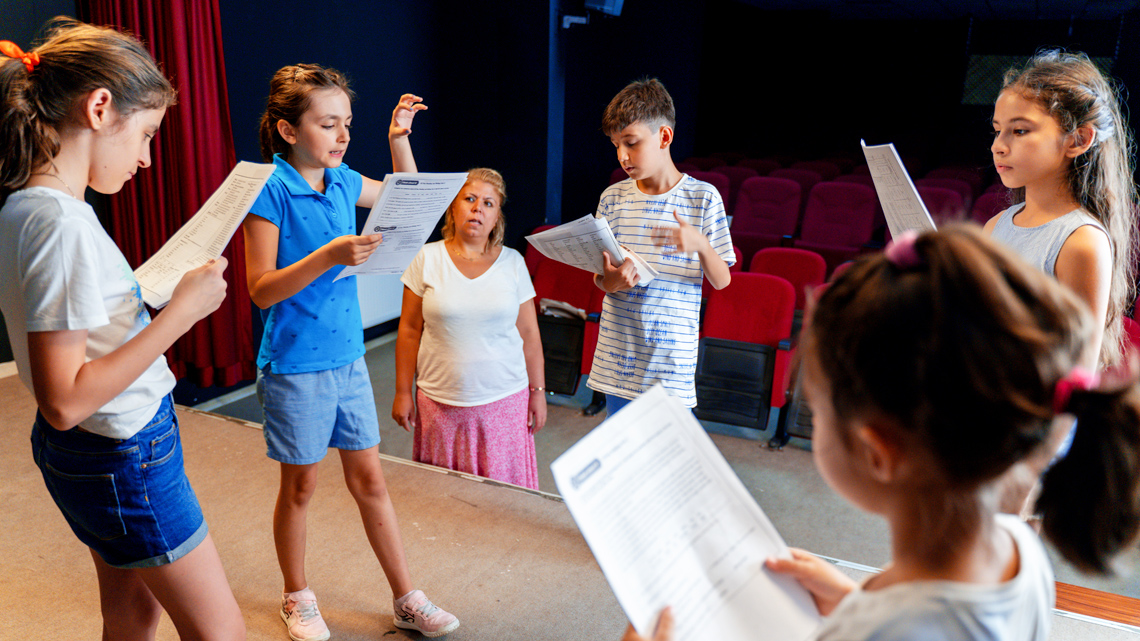
What answers did you come up with for what all the images have in common?
One answer could be media because each of the images features a different type of media.
Does that answer surprise you?
Media is all around us, and it comes in many forms. In this learning activity, you will explore different types and forms of media and analyze some examples to build your digital literacy skills.

What is media?
Media is anything that communicates a message. That could mean messages that you communicate as a content creator, or messages that you receive as a consumer (user) of media. We see and hear information from media every day.

Brainstorm
Brainstorm
List all the different forms of media that you might see and hear throughout a week of your life?
Record your thinking in your notebook or using another method of your choice. If possible, share your answers with a partner.
Before the invention of digital media, the term media was much simpler to explain. How do you think people one hundred years ago communicated messages to each other? You may be thinking of some examples such as newspapers, letters, and posters, and you are correct!
In the digital age that we now live in, we are surrounded by media every day in many different formats. You may not even notice some of the media that you interact with daily, or you might not even think of it as media!
Check out the following episode of Wacky Media Songs called “Media Is Everywhere!” to explore examples of where we might find media in our modern world.
What forms of media did you notice in the video? Record your thinking in a notebook or using another method of your choice. If possible, share your thoughts with a partner.
Exploring categories of media
Let’s explore some categories of media to expand our understanding of media types.
Your goal in this section is to take notes about each category of media and include examples for each.
One way of organizing information and ideas is using a mind map or an idea web. Mind maps/idea webs can contain just text, or they can be highly visual and include a combination of words, symbols, and drawings/images. This is sometimes called "sketchnoting” or visual notetaking. Check out the following two examples to understand the difference.
Press the following tabs to find out more.
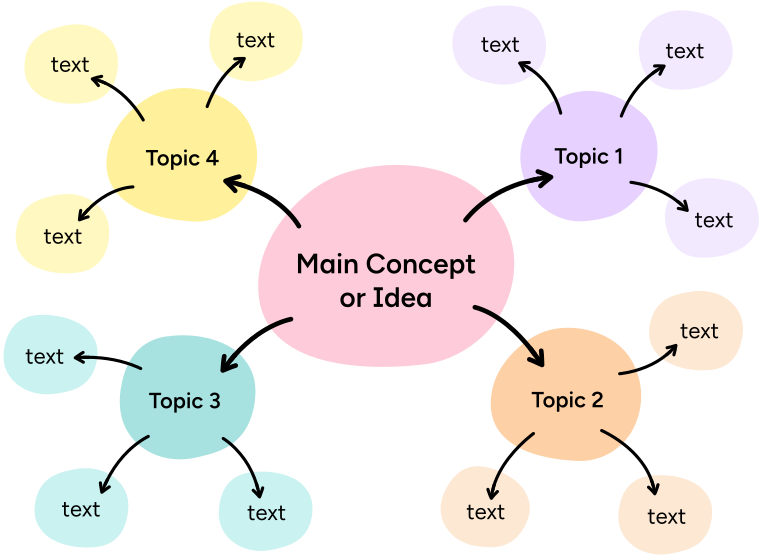
A mind map/idea web with just text usually has the main concept or idea written in the centre. Branching out from there are different topics/ideas that are connected to it. Lastly, each topic has its own branches with examples or more supporting details.
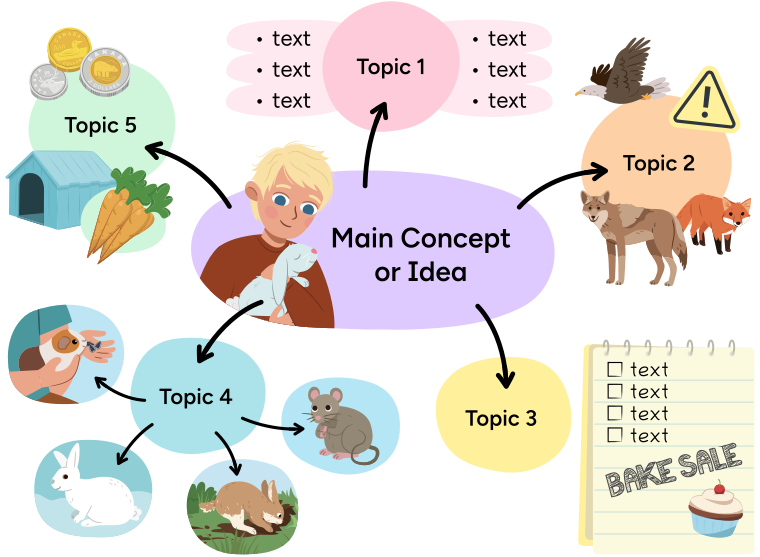
A visual mind map/idea web is similar to the text only version but contains drawings/images, symbols, diagrams, and any other visual element to support the text.
Next, try using one of the mind mapping tools you just explored, or another method of your choice, to take notes as you read through the following content on four different categories of media.
A teacher saying, If you’re using a mind map for your note-taking, the centre of your web could be “media” or “types of media”. If you have space, you could also include the definition of media provided to you earlier in this learning activity.
Print media
One of the oldest and most familiar kinds of media is print media. Print media is a type of media that relies on paper. Print media used to be the main source of media from the late 1800s to the early 1900s. Examples of print media include newspapers, magazines, newsletters, and books.
Can you think of any other examples of print media?
Press the Possible Answers button to learn more.
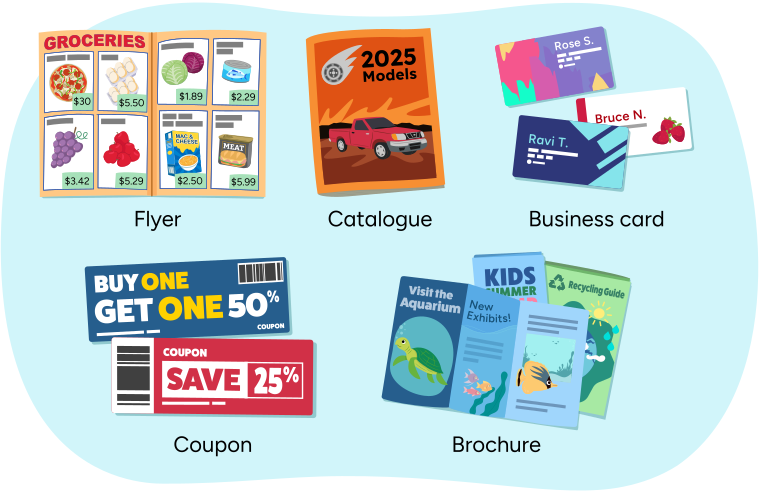
Flyers, brochures, catalogues, coupons, and business cards are other examples of print media.
Broadcast media
Broadcast media are things that can be watched or listened to. The verb broadcast means information shared by radio or television to a wide audience. Earlier forms of broadcast relied on radio waves and satellites to communicate information. Television, radio, movies, and music are examples of broadcast media. Did you know, originally, television shows could only be watched on the exact date and time that they were broadcast?
The way that music is shared has changed a lot in the past several decades. Can you think of ways that people used to listen to music before streaming services?
Press the Possible Answers button to learn more.
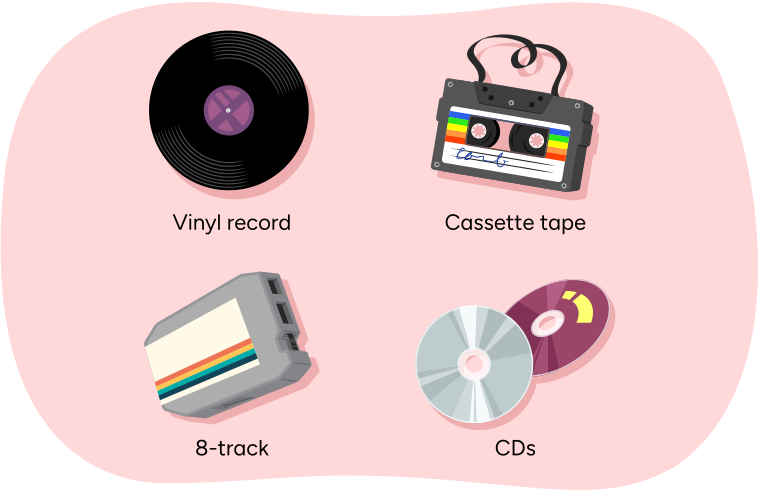
Music was previously shared on vinyl records, cassette tapes, 8-track cartridges, and CDs (compact discs).
Digital media
Digital media is any electronic content that is created, shared, or accessed through a digital device. Examples of devices that we use to access digital media include smartphones, tablets, computers, and video game consoles. Digital content could be images, text, audio, or video. The specific types of digital content are constantly changing and evolving. Some examples include websites, social media platforms, ebooks, apps, blogs, video streaming services, virtual reality, video games, podcasts, and more.
Can you think of any other devices that people use to access digital content?
Press the Possible Answers button to learn more.
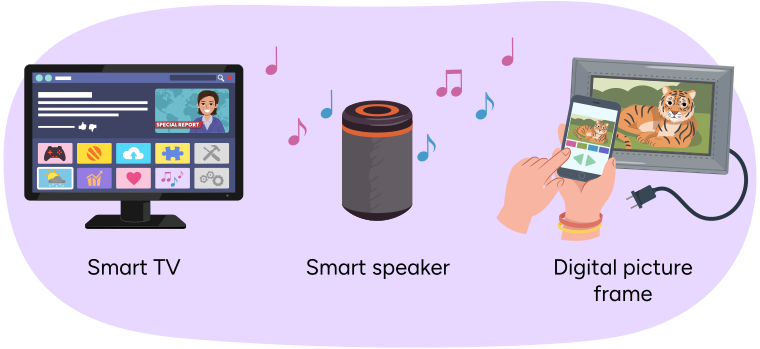
People can also access digital content on smart devices like smart TVs and smart speakers (also known as digital assistants), as well as digital picture frames.
Display media
Display media are things that are displayed in our surroundings. You may be so used to display media that you may not even think of it as media! Think about the logos and names of companies that appear on items that people wear or use; did you realize this is a type of media? Display media could be considered a hybrid category of media because it could be print or digital media, and a lot of them are forms of advertising. Examples include signs, billboards, banners, logos, and product packaging.
Take a look at your immediate surroundings. Can you identify any examples of display media? What are they?
Press the Possible Answers button to learn more.
Some of the things you might find are company or brand logos, or packaging on a product or item.
Check your notetaking progress
In your notes, do you:
- Have the four subheadings (categories of media) recorded?
- Have three or more specific examples for each subheading?
- Have some visual elements such as symbols, drawings, or different font sizes or types? (Optional)

Reading with fluency
Digital media, like the internet, is such a great way to connect with people, ideas, and content from all around the world. But it also requires some critical thinking about online safety.
A learner saying, "Always check with a trusted adult when advertisements pop up, or before you download anything, or if want to connect with someone you don't know, like in a game chat."
With so much content online, it can also mean it’s easy to lose track of time!
Check out the following poem. Can you relate to Osei’s problem? As you read or listen to the poem being read, try to identify its rhyming pattern.
When Osei Overloads Online
By: L.A. Pynes
One day Osei was inspired,
and so he went online.
He started finding Minecraft skins
then searched for cool designs.
He watched a video that showed a build
then decided to watch one more.
Next thing he knew he had spent hours,
like almost up to four!
His stomach grumbled,
his eyes were sore,
he felt awful,
but his brain said “More!”
His grandpa found him on the floor,
hunched in front of the screen.
He shouted, “That’s it! Osei enough!”
Then grumbled, “These crazy teens.”
Osei blinked, then blinked again,
like coming out of a dream.
He realized he missed the time
to play with his friends at the stream.
“I missed so much!” Osei thought,
and felt a little blue.
“Next time I should set a timer,
maybe just for an hour or two…”
Explore the following audio clip to listen to the poem read out loud.
When Osei Overloads Online
Check out the first stanza. Do you notice a rhyming pattern?
| One day Osei was inspired, | A |
| and so he went online. | B |
| He started finding Minecraft skins | C |
| then searched for cool designs. | D |
This poem has an ABCB rhyme pattern because the second line and the fourth line rhyme.
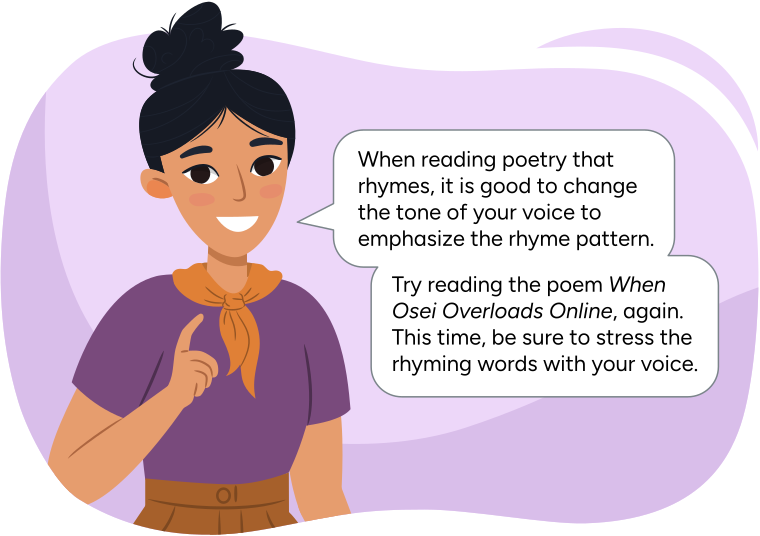
A teacher saying, “When reading poetry that rhymes, it is good to change the tone of your voice to emphasize the rhyme pattern.Try reading the poem When Sarah Surfs the Internet, again. This time, be sure to stress the rhyming words with your voice.”
Explore the following audio clip to hear an example.
Roses are Red, Violets are Blue

Spotlight on: quotes
Some of the stanzas of the poem When Osei Overloads Online contain dialogue. We know this because there are quotation marks around the text that is spoken.
What else can you observe about the dialogue inside of the quotation marks?
His grandpa found him on the floor,
hunched in front of the screen.
He shouted, “That’s it! Osei enough!”
Then grumbled, “These crazy teens.”
Did you notice that the dialogue inside the quotation marks begins with a capital letter?
Here are three rules for dialogue–also known as a direct quote or direct speech.
- Use quotation marks around the words being spoken.
- Capitalize the first word inside the quotation marks.
- Separate the direct speech from the rest of the sentence with a comma.
Example:
I heard my teacher say, “Time to wrap up!”
Notice that the speaker of the dialogue is identified (the teacher), followed by a comma.
If the speaker is identified after the quote, the comma is placed inside the quotation marks.
“Time to wrap up,” I heard my teacher say.

Try It
Try it
Rewrite the following sentences, applying the three rules you learned about. When you're done press the Check Answers button to review your work.
- The dog has already been fed called Jorge from the kitchen.
- Jorge called from the kitchen the dog has already been fed.
Press the Check Answers button to learn more.
- “The dog has already been fed,” called Jorge from the kitchen.
- Jorge called from the kitchen, “The dog has already been fed.”

Social Emotional Learning
Social emotional
You’re doing great! It’s time for a short break!
Let’s check!
For each sentence, select the missing word from the drop-down menu. Press Check Answer to see how you did.
Putting it all together

In this learning activity, you learned about different types of media, rhyming patterns, and the rules for using punctuation and capitalization in direct quotes.
Now it is your turn to create a poem! Your task is to create a poem about yourself, and your use, habits, or preferences surrounding media.
Use the following checklist to complete your poem.
Success Criteria
You may use the following document to help you draft your poem, or another method of your choice. If you would like, you can use speech-to-text or audio recording tools to record your thoughts.
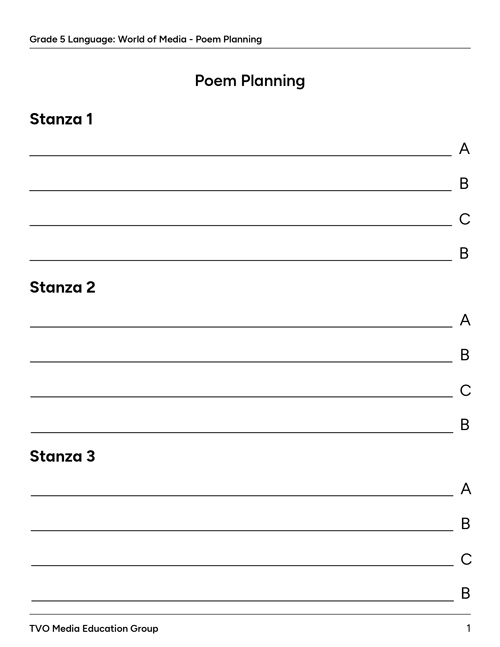
When you are done drafting your poem, assess yourself using the above criteria. Make any necessary revisions or corrections, and then create the final draft of your poem!
Consider writing your final draft in cursive or typing it out.
Check out some tips for cursive writing and typing if you need some help!
Cursive practice
Try it in cursive!
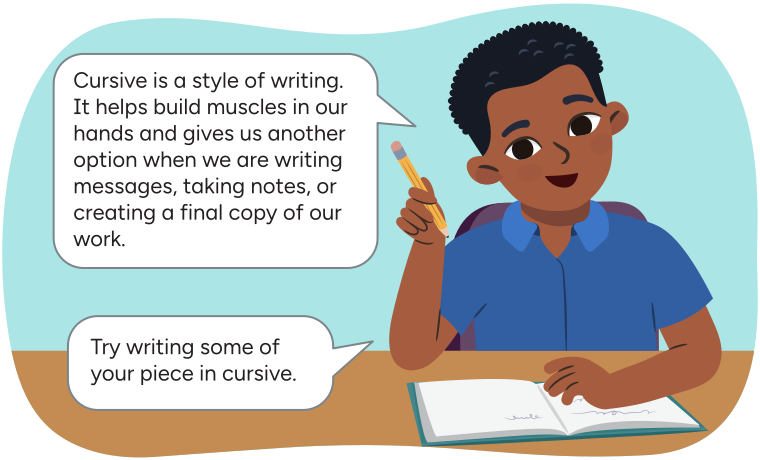
Arthur saying: Cursive is a style of writing. It helps build muscles in our hands and gives us another option when we are writing messages, taking notes, or creating a final copy of our work. Try writing some of your piece in cursive.
Let’s review cursive writing!
Check out the following animation of how the word “media” is written in cursive, then review the tips for cursive writing provided.
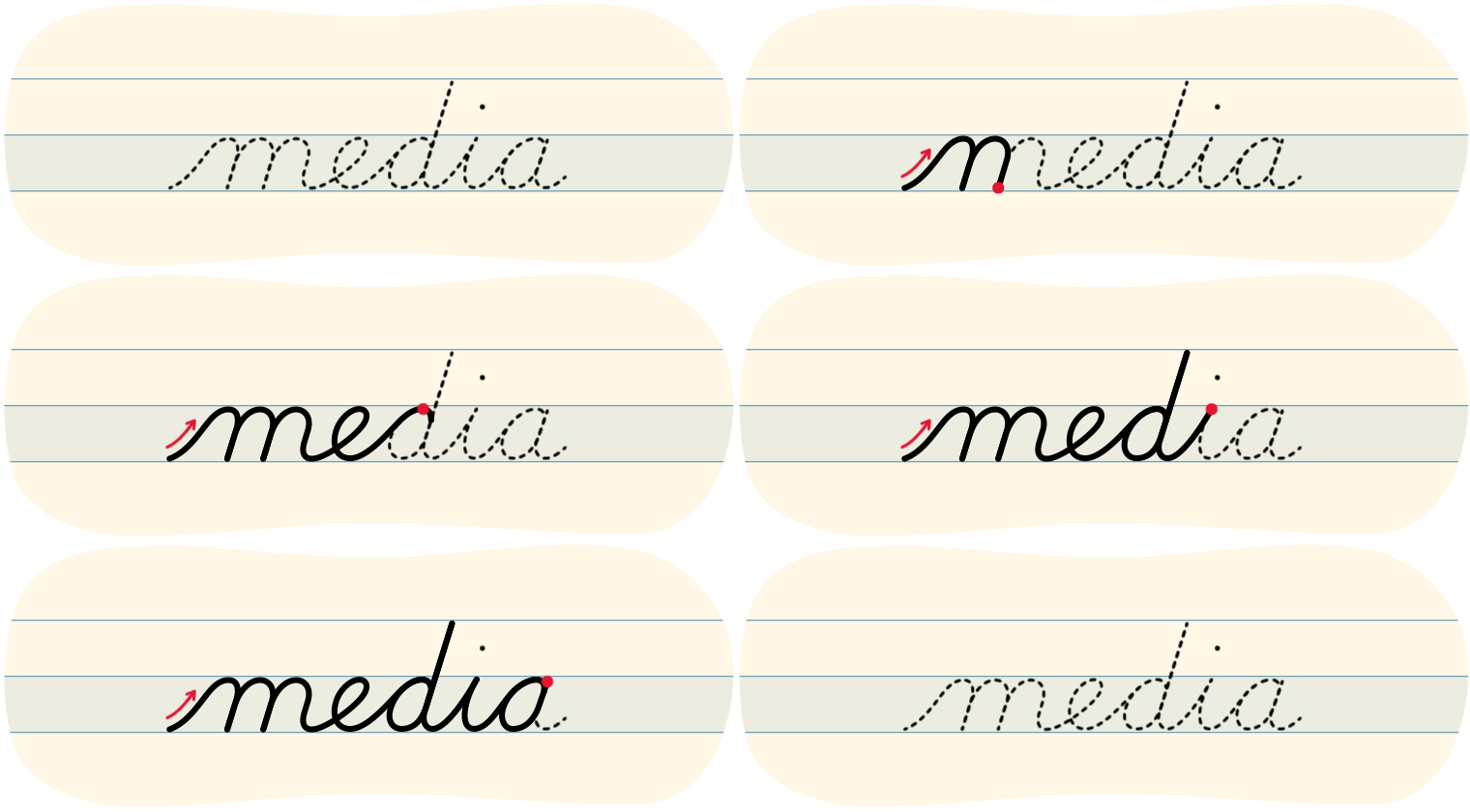
Tips for cursive letters
- When we write in lowercase, we always begin at the bottom.
- When we write in uppercase we can start from the top or the bottom.
- Try to keep the pencil on the page until you are done the word.
- Try to press gently as you write so that your hand can move easily across the page.
- Take your time to make sure that you are writing clearly and evenly.
Left-handed tips for cursive writing
Explore the video on Left-Handed Tips to learn more.

Typing practice
Type it!
Typing is a great skill to develop! When we need to use a computer or tablet keyboard, knowing how to type helps us:
- take notes
- respond to messages
- create final drafts of our work.
Explore the following image to see what fingers are used to type each letter or number.
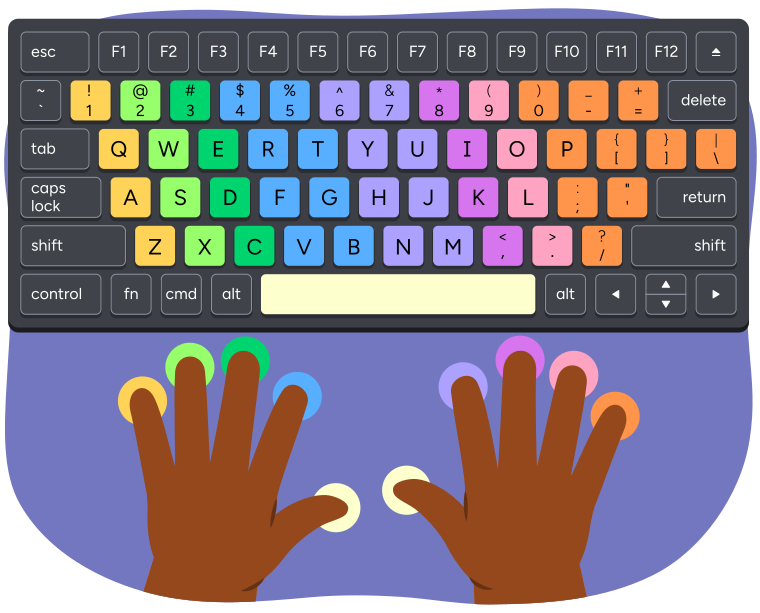
A keyboard and hands showing which fingers are used to press each key when typing.
The left pinky finger presses the keys 1, Q, A, and Z.
The left ring finger presses the keys 2, W, S, and X.
The left middle finger presses the keys 3, E, D, and C.
The left index finger presses the keys 4, 5, R, T, F, G, V, and B.
The left or right thumb presses the space bar.
The right index finger presses the keys 6, 7, Y, U, H, J, N, and M.
The right middle finger presses the keys 8, I, K, and comma.
The right ring finger presses the keys 9, O, L, and period.
The right pinky finger presses the keys 0, minus, equal, P, open bracket, closed bracket, backslash, semicolon, apostrophe, and forward slash.
We use specific muscles in our hands to type! It’s important to practice so that it becomes easier to type correctly without putting too much pressure on our hands and our wrist.
Reflection
As you read through these descriptions, which sentence best describes how you are feeling about your understanding of this learning activity? Press the button that is beside this sentence.

I feel...
Now, record your ideas using a voice recorder, speech-to-text, or writing tool.