Learning goals
We are learning to…
- demonstrate an understanding of how to navigate online environments safely, manage privacy, personal data, and security, and interact in a way that supports our own well-being and that of others
- select suitable reading comprehension strategies to monitor and confirm understanding and answer comprehension questions, including making predictions
- produce final texts, selecting suitable techniques to achieve the intended effect
Success criteria
I am able to…
- identify and explain several risks and protective measures for navigating the digital world safely
- answer comprehension questions about a text, including the purpose of a text and making and monitoring predictions
- explain the importance of positive digital etiquette and well-being
Using the internet
In this learning activity, you are going to be exploring online safety and privacy, as well as digital etiquette and well-being. Using the “word cloud” below, record what you already know about this topic and what you want to know about this topic.
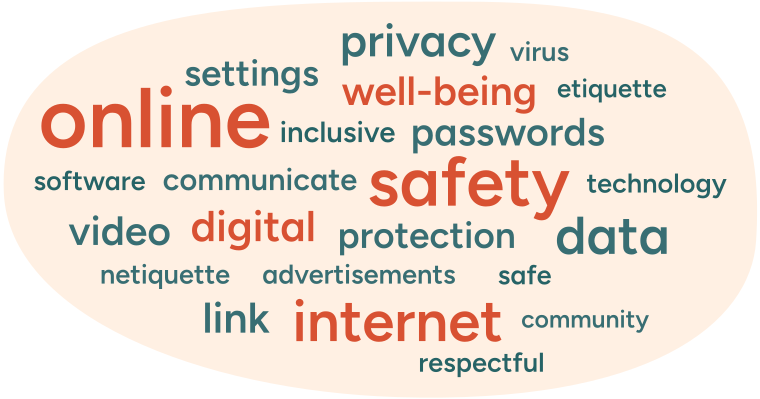
A word cloud with the following words: online, settings, privacy, well-being, virus, etiquette, inclusive, passwords, safety, software, communicate, technology, video, digital, protection, data. safe, internet, community, respectful, and link.
As you progress through the learning activity, use the following prompts to help guide your thinking:
- What do you do online? What do you use the internet for?
- What should you consider before using online apps or websites?
- What measures can you take to protect yourself online?
Online safety
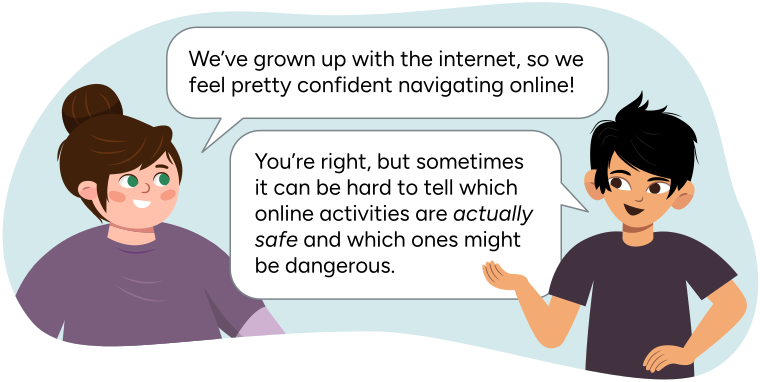
A conversation between Sam and Tyler.
Sam says, "We've grown up with the Internet, so we feel pretty confident navigating online!"
Tyler replies, "You're right, but sometimes it can be hard to tell which online activities are actually safe and which ones might be dangerous."
Due to the complexity and vastness of the internet, we do not always have a clear idea of what is safe and what might pose a risk to our security online. In certain cases, an online risk might even escalate to an in-person scenario, so it is incredibly important to build a solid understanding of proper online safety guidelines.

Did You Know?
Did you know?
Privacy is a vital aspect of online safety. Because of how easily we can share personal data over the internet, it is important to keep privacy strategies in mind when navigating online spaces.
Personal data is valuable and it’s how many companies make money. That’s not always a bad thing, but keep in mind that games or apps that claim to be free will often make us “pay for it” by accessing our private information and sharing ads we don’t need or want to see.
In the following activity, you are going to read an informational text that gives details about digital privacy and online security. Before beginning to explore this information, become familiar with the specific reading comprehension strategy we will draw on for this task.

Predictions and author’s purpose
Let’s begin by exploring two before reading strategies – predictions and determining the author’s purpose and intended audience.
Prediction
A prediction is an estimated guess about what you think the text is going to be about and includes reasons or evidence to support why you think this. You can begin by exploring the text, including the title, subheadings, images, etc., to get a sense of what you think the text might be about. Once you’ve done this, record your prediction in your notebook or another method of your choice.
Author’s purpose
Typically, when creating a text, an author has an intended purpose and audience for their text - just like a reader has an intended purpose for reading that text. Some purposes include:
- to persuade the audience of something
- to inform the audience of something
- to tell a story to the audience
- to give an opinion to the audience
When you have reviewed the reading strategies to use in the upcoming task, explore the following text titled “Navigating the Digital World.” Keep track of key facts and statistics, and try to predict what the author may have wanted to convey about digital privacy and online security.
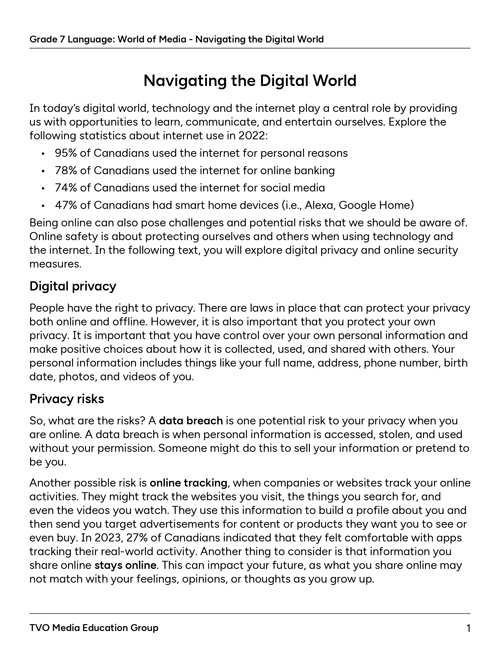
After you have finished reading the informational text, consider the reading comprehension strategy of making a prediction, and respond to the following question in a method of your choice.
What do you think the author may have wanted to communicate about digital security?
Press the Possible Answer button to learn more.
It seems that the author wants to communicate that this topic is serious and important because the sentences are written in very clear, straightforward terms. They also use a lot of statistics and data as factual evidence to support their points. It seems as though the audience should be teenagers because the tone is like the author is giving instruction but not in a childish way.
Protecting yourself online
There are a few things you can do to protect yourself from cyber threats. Explore some of these protective measures in the carousel of information below.
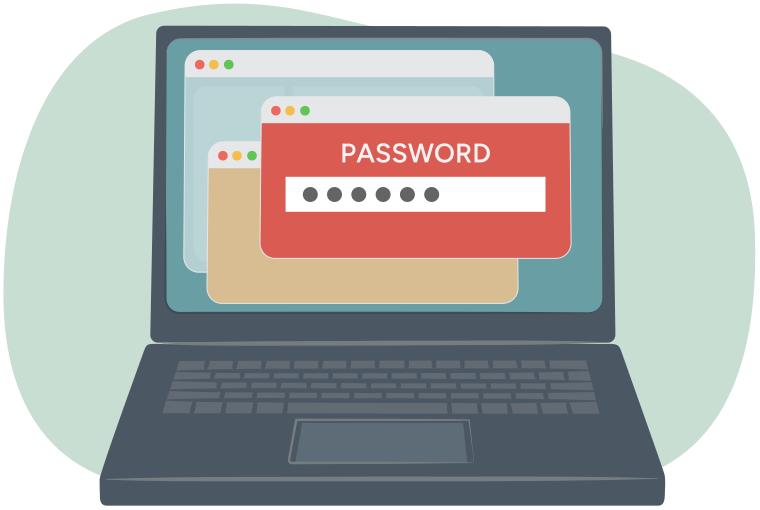
Use strong passwords. Avoid easy-to-guess passwords and make sure your passwords contain a mix of letters, numbers, and symbols.
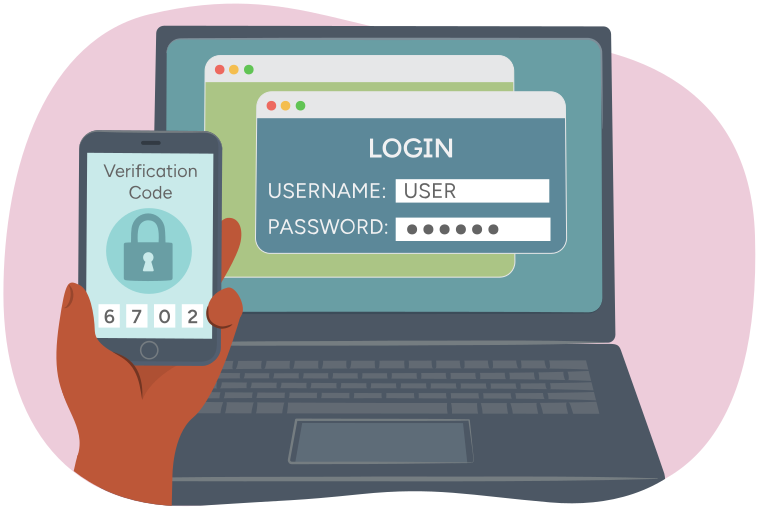
Enable Two-Factor Authentication. Require a second form of verification, such as a code sent to your email or phone. This adds an extra layer of protection beyond your password.

Be cautious of suspicious links and emails. Sometimes a link or email could pretend to be something you trust, but when you click it, it downloads a virus to your device. 40% of Canadians received emails or message with suspicious links in 2022. (Online Safety in Canada, 2022.)

Keep your software updated by installing updates as soon as they are available. 50% of Canadians protect their mobile device by keeping automatic updates turned on. This will protect your devices from cyber threats.
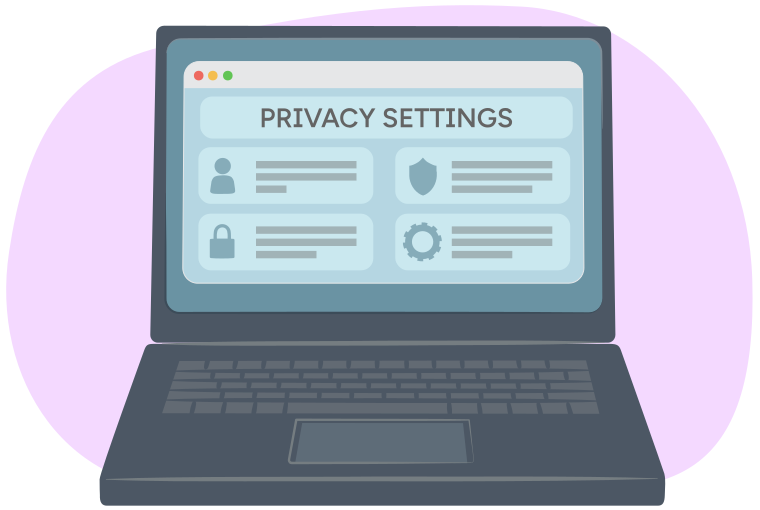
Use privacy settings online to ensure your personal information is not shared with anyone. Review and adjust your privacy settings periodically.
Image 2: Username and password login credentials displayed on a computer screen. A hand is holding up a smartphone with a verification code to show two-factor authentication.
Explore your understanding of cyber threats and online safety by evaluating the scenarios in the following flashcards.
Etiquette and well-being
Online well-being refers to being healthy and safe when using the internet. Similar to taking care of our health, it is essential to take care of our online well-being as well. This means being mindful of our online behaviour, interactions, and the impact they have on ourselves and others. Online etiquette, sometimes referred to as “netiquette” is a set of rules and guidelines that keep communication appropriate, respectful, and effective.
Begin by exploring the following video clip below as an introduction to online etiquette.

Brainstorm
Brainstorm
Based on the previous video, what do you think some of the guidelines to online etiquette might be? How can these guidelines help our online well-being? Record your ideas in a method of your choice.
Tone and respect
When you are interacting online, it is important to remember that others can’t hear your intended tone of voice as they read something that you’ve posted. This leaves what you say online more open to interpretation.
Why does that matter?
Unlike with speaking, where it is possible to express emotion through gestures, tone of voice, and expressions, it can be challenging to show a specific mood in writing. It is even more difficult to tell whether the people who read your posts – your “audience” – will interpret what you write as you had intended!
Use the following flashcards to explore some tips to consider when interacting online.
Choose two of the following comprehension questions to respond to in a notebook or another method of your choice.
- What is online etiquette and why is it important?
- How can you practice online etiquette?
- Why is it important to be a good digital citizen?
- Why is it important to have a balance of offline and online activities?
- How can you contribute to a safe, inclusive, and positive online environment?

Social Emotional Learning
Social emotional learning
You’ve just explored netiquette and online safety. Take a break before continuing onto the next part!

Imperative and interrogative verbs
In this section of the learning activity, you are going to be learning about imperative and interrogative verbs! Before you begin, explore the following refreshers about verbs and types of sentences.
There are four types of sentences:
- Declarative – a sentence that makes a statement
- Imperative – a sentence that makes a request or gives a command or instruction
- Interrogative – a sentence that asks a question
- Exclamatory – a sentence that expresses strong emotion, usually ending in an exclamation mark
Sometimes, verbs can be used to help create certain sentences.
Press the following tabs to learn more about imperative and interrogative verbs.
Imperative verbs are used to create an imperative sentence. They are often, but not always, found at the beginning of a sentence. They give an action that the speaker or writer wants someone else to do. The action might include: issuing a command, giving directions or instructions, making a request, giving advice, or warning someone.
Imperative verbs are usually affirmative or negative. For example, “Close the door” is an affirmative verb and “Don’t leave the door open” is a negative one.
Other examples include:
- Please make sure you create strong passwords for online accounts. (affirmative)
- Don’t forget to check your privacy settings online. (negative)
- Pay attention to your online etiquette and well-being. (affirmative)
Your turn! Write three sentences that include imperative verbs and identify them as affirmative or negative. Record them in your notebook or another method of your choice.
Interrogative verbs are used to ask questions. They are often used with auxiliary verbs (i.e., do, have, be) to form questions. They often come at the beginning of a sentence or after question words (who, what, where, when, why).
Interrogative verbs are usually yes or no questions, such as “Did you go to the store?” or open-ended questions, such as “Where are you going?”
Other examples include:
- Are your shoes on?
- Did you enjoy the movie?
- Did the children get to school on time?
Your turn! Write three sentences that include interrogative verbs. Record them in your notebook or another method of your choice.
Let’s check!
Begin by checking your understanding of the content explored in this learning activity through the following fill in the blanks activity.
For each sentence, select the missing word from the drop-down menu. Press Check Answer to see how you did.
Putting it all together
In this final section of the learning activity, you will select one of the two following reflection tasks to complete.
Option 1: Reflect on author’s purpose and predictions
Reflect on the reading comprehension task you completed in this learning activity. Recall that you made predictions about the text, author’s purpose, and the intended audience. After completing the learning activity, revisit your work and reflect on the following questions.
- Were your predictions correct? Why or why not? How do you know?
- What was the author’s purpose for writing the text? How did the author communicate this?
- Who was the intended audience? How do you know?
Confirm your understanding of the author’s purpose and intended audience by comparing your work to the possible answer.
Press the Possible Answer button to learn more.
The author’s purpose of this text was to provide information to the reader about online safety, including the risks and protective measures that can be used when engaging online. The author’s intended audience is anyone who wants to learn more about online safety, specifically young adults or teenagers.
Option 2: Reflect on risks and protective measures
In the graphic organizer provided, or another method of your choice, create a list of risks and protective measures that students and adults should consider when navigating online.
If possible, share your list with someone else.
Complete the fillable and printable Risks and Protective Measures in your notebook or using the following document. If you would like, you can use speech-to-text or audio recording tools to record your thoughts.
Reflection
As you read the following descriptions, select the one that best describes your current understanding of the learning in this activity. Press the corresponding button once you have made your choice.

I feel...
Now, expand on your ideas by recording your thoughts using a voice recorder, speech-to-text, or writing tool.
When you review your notes on this learning activity later, reflect on whether you would select a different description based on your further review of the material in this learning activity.