Learning goals
We are learning to…
- analyze and explain how the principles of digital citizenship can be used to support communication in a range of contexts, and apply them
- evaluate the use of various forms, conventions, and techniques used in digital storytelling, considering the impact on audiences
- select and use appropriate digital and media tools to support the design process and address authentic, relevant, real-world problems
- analyze and compare the characteristics of various text forms and genres, including cultural text forms, and provide evidence to explain how they help communicate meaning
- compare the text patterns, such as problem-solution, in a letter to the editor, and text features, such as a glossary and infographics, associated with different text forms, including cultural texts, and evaluate their importance in helping readers, listeners, and viewers understand the meaning
- evaluate how images, graphics, and visual design create, communicate, and contribute to meaning in a variety of texts
Success criteria
I am able to…
- identify the main elements of a narrative structure
- describe digital storytelling and distinguish between the purpose and style of each of the three main categories
- demonstrate my understanding of the various audio and video conventions and techniques used in digital storytelling in order to achieve an emotional impact and increase engagement
Storytelling
Storytelling is one of the most powerful methods of communicating information. It’s a natural human instinct that people often do without realizing and is also held as a sacred oral tradition among many cultures.
Stories with impact come in all shapes and sizes, and good stories have the capability to engage a person’s:
- emotions
- intellect
- imagination
What makes a good story?
Stories that entertain, challenge, or inspire us usually have the most impact, but leaving an impression on someone requires specific elements from a story.
Check out the following audio clip to listen to a story.
Strorytelling

Brainstorm
Brainstorm
Brainstorm the following:
What makes a “good” story?
Record your ideas in a notebook or another method of your choice.
When you’re ready, press Good Story to check out a few possible answers.
A good story should have the following elements:
- a clear plot
- compelling characters
- a vivid setting
- an underlying theme that sparks further discussion
- some form of conflict and resolution
In this day and age, there are unlimited creative possibilities for telling a story. A specific field has emerged in media, known as digital storytelling, which we will further explore.
Throughout this learning activity, think about the following guiding question:
Can the way that you tell a story—using the format, features, and techniques—make it more intriguing, or even help to communicate its importance?

Digital storytelling
What is unique about digital storytelling?
Simply put, these are stories that are presented in digital (i.e., video) format, instead of being done in print or oral formats. It is a combination of traditional storytelling methods with multimedia elements, like text, audio, video, graphics, images, and even interactive pieces.

The University of Athabasca describes digital storytelling as the following:
- a media form that has voiceover with images, music, or other sounds
- typically two to three minutes in length
- focuses on a specific person, event, or issue that matters to the storyteller
- combines elements of storytelling, the writing process, and visuals
- usually narrated in the first person with a personalized perspective
Unlike most classic documentaries, which tend to report on external people or events, digital storytelling highlights personal accounts.
In a similar way to how social media is more personal than traditional media, digital stories use the following to highlight intimate tales and experiences:
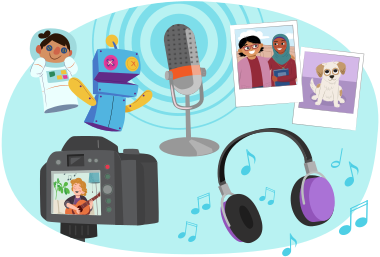
- audio (i.e., voiceover, sound effects, and music)
- video (i.e., filmed or borrowed footage)
- visuals (i.e., photographs, screencasts, and graphics)
While each and every digital story is a unique product that represents an individual’s experience or perspective, there are common conventions to make strong and effective digital stories.
Types of digital stories
Let’s explore the different types of digital stories.
Learning check!
For each scenario, select the related type of digital storytelling.
Digital storytelling elements
While every digital story is a unique experience that represents a different perspective, there are some common conventions that are used to create powerful digital stories that communicate a clear message.
As you have been studying throughout this unit, various forms of digital media rely on tried-and-true techniques and stylistic elements to achieve particular effects, like conveying a specific mood or presenting a call to action.
Explore the following interactive to learn about techniques and conventions used in digital storytelling to achieve a specific effect.

Student Wellness
Student wellness

If you’re sitting, take a few minutes to stretch and adjust your posture before moving on to the next section.
Grammar

Grammar glimpses: Semicolon
Similar to digital storytelling, there are different aspects of English grammar that are used to communicate meaning for a very specific purpose.
One punctuation mark that is mysterious to many is the semicolon.
So, when do we use a semicolon in writing?
For example:
You feel confined and pressured; you can’t wait to get out of there.
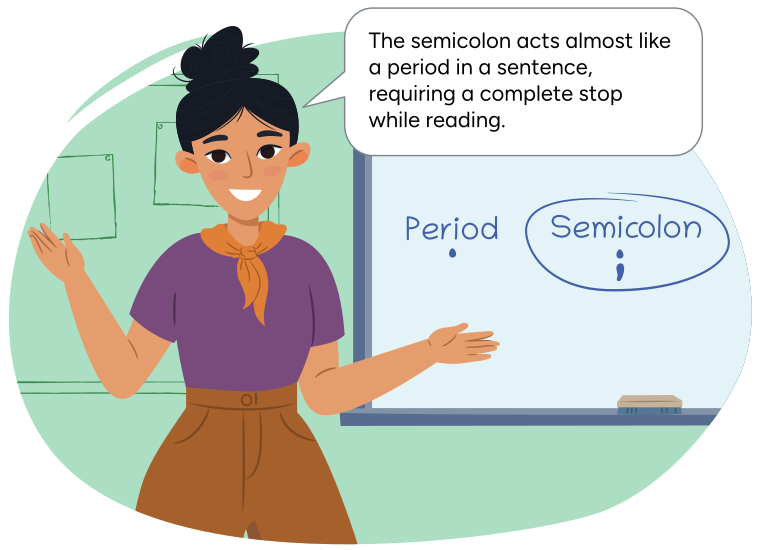
In the example, the semicolon separates two clausesthat are independent of each other.
Press Independent Clauses to learn more.
Being independent means that the clause can stand alone as a sentence, like the following example:
| Complete sentence | Complete sentence |
|---|---|
| You feel confined and pressured. | You can’t wait to get out of there. |
Notice that a coordinating conjunction, like ‘and,’ is not used between the clauses.
If used, then the semicolon isn’t necessary.
For example:
You feel confined and pressured, and you can’t wait to get out of there.
The writer used a semicolon to add more emphasis on the second part of the sentence by making the reader almost stop.

Try it
Try it!
Combine the following two independent clauses with a semicolon to create one sentence:
| Independent Clause A | Independent Clause B |
|---|---|
| The text on the screen was very small. | Reading it gave her a headache. |
| I missed the soccer game on Saturday. | I played video games instead. |
Record your completed sentences in your notebook or another method of your choice.
Challenge yourself!
Try typing or writing your completed sentences in cursive writing. You may check out the following tips to guide you.

Cursive practice
Try it in cursive!
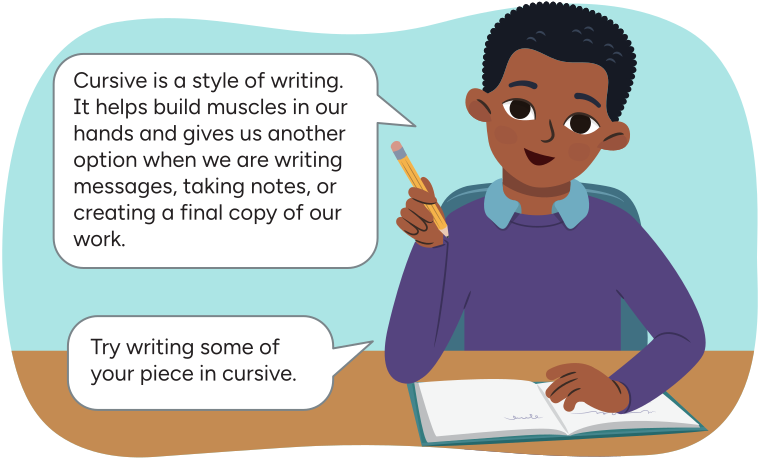
Arthur says, 'Cursive is a style of writing. It helps
build muscles in our hands and gives us another option when we
are writing messages, taking notes, or creating a final copy of
our work.
Try writing some of your piece in cursive.'
Let’s review cursive writing!
Tips for cursive letters:
- When we write in lowercase, we always begin at the bottom.
- When we write in uppercase we can start from the top or the bottom.
- Try to keep the pencil on the page until you are done the word.
- Try to press gently as you write so that your hand can move easily across the page.
- Take your time to make sure that you are writing clearly and evenly.
Left-handed tips for cursive writing

Explore the video on Left-Handed Tips to learn more.

Typing practice
Typing is a great skill to develop! When we need to use a computer or tablet keyboard, knowing how to type helps us:
- take notes
- respond to messages
- create final drafts of our work
Explore the following image to see what fingers are used to type each letter or number.
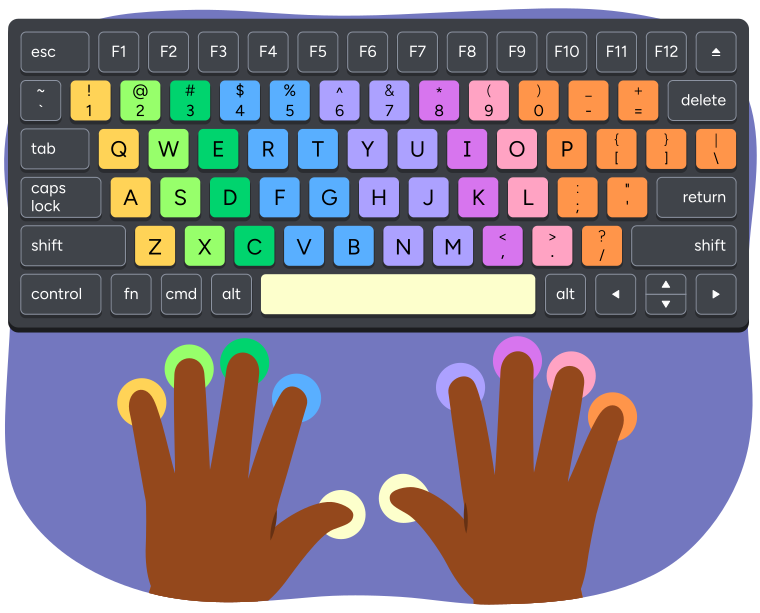
A keyboard and hands showing which fingers are used to press each key when
typing.
The left pinky finger presses the keys 1, Q, A, and Z.
The left ring finger presses the keys 2, W, S, and X.
The left middle finger presses the keys 3, E, D, and C.
The left index finger presses the keys 4, 5, R, T, F, G, V, and B.
The left or right thumb presses the space bar.
The right index finger presses the keys 6, 7, Y, U, H, J, N, and M.
The right middle finger presses the keys 8, I, K, and comma.
The right ring finger presses the keys 9, O, L, and period.
The right pinky finger presses the keys 0, minus, equal, P, open bracket, closed
bracket, backslash, semicolon, apostrophe, and forward slash.
We use specific muscles in our hands to type! It’s important to practice so that it becomes easier to type correctly without putting too much pressure on our hands and our wrist.
Wrap up

We have learned about some of the different techniques and conventions commonly used in all types of digital stories.
When exploring a digital story, be sure to consider or notice the following:
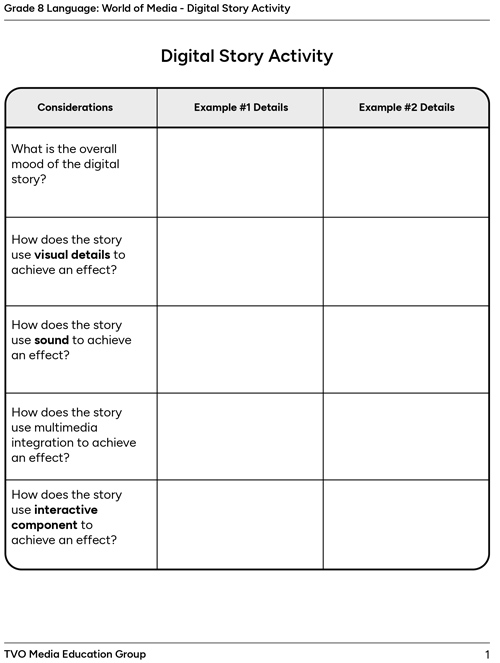
- What is the overall mood of the digital story?
- How does the story use visual details to achieve an effect?
- How does the story use sound to achieve an effect?
- How does the story use multimedia integration to achieve an effect?
- How does the story use interactive components to achieve an effect?
Digital stories
For this task, explore two examples of digital stories, and consider the various techniques and conventions used.
You may use the fillable and printable Digital Story Activity in your notebook or using the following document. If you would like, you can use speech-to-text or audio recording tools to record your thoughts.
Press the following tabs to check out the different digital story examples.
Explore the following digital story.
Let’s explore the following digital story.

Pause and Reflect
Pause and reflect
You have now learned about media tools, techniques, and design elements in digital storytelling. Reflect on a digital story you have created or encountered, then review and comment on the following:
How do the visual details, sound, multimedia integration, and interactive elements help to create a strong digital story that impacts the audience?
Record your thoughts in a notebook or another method of your choice. You may represent your thoughts in a different form, like a paragraph, mind map, video diary, etc.
Reflection
As you read the following descriptions, select the one that best describes your current understanding of the learning in this activity. Press the corresponding button once you have made your choice.

I feel...
Now, expand on your ideas by recording your thoughts using a voice recorder, speech-to-text, or writing tool.
When you review your notes on this learning activity later, reflect on whether you would select a different description based on your further review of the material in this learning activity.
Press ‘Discover More’ to extend your skills.
Discover MoreChoose a digital story to explore.
Then, consider the following:
- Did the digital story leave a lasting impression? Were viewers more likely to engage with the content because of its multimedia and interactive elements?
- Did it effectively convey the intended message or theme?
Record your thoughts in a notebook or another method of your choice. You may even practise recording your thoughts by typing or in cursive writing.